Trying to Make
a Trending Rap Video with AI
Seven steps for making a story-driven MV with AI, from choosing a topic to upscaling. The problems I ran into are collected at the end.
The process and models used
The two rap MVs below followed the same process. Here are the steps and the models used for each one.
| Step | Task | Model | Alternatives (not tested) |
|---|---|---|---|
| 1 | Measure the pacing of a reference video | Claude Code | Codex, Gemini CLI |
| 2 | Write lyrics | Claude Code | ChatGPT |
| 2 | Make the song | Suno | Udio |
| 2、4 | Generate characters, a master image, audience, and DJ images | z-image | ChatGPT image generation, Nano Banana |
| 2 | Separate vocals; feed the instrumental to shots without singing | Demucs | UVR |
| 2 | Align the timing of each lyric line | Whisper | WhisperX |
| 3、5 | Generate shots from reference images and audio | MiniMax H3 | Wan 2.2, Seedance |
| 4 | Storyboard meeting (five roles) | Codex | Claude Code |
| 6 | Review rough footage and write check scripts | Claude Code | Codex |
| 6 | Measure how far the mouth opens | MediaPipe | dlib |
| 6、7 | Review the scripts | Codex | Claude Code |
| 7 | Upscale to 1080p | SeedVR2 | Topaz Video AI |
| Finished video | Edit and add subtitles | Claude Code (writing ffmpeg scripts) | CapCut |
I ran these experiments from 2026-10-01 to 10-12, with all generation on one RTX 3090. I tested only the set of models shown here; if you use different models, start with test generations (step 3).


The seven steps
1. Choose a topic and find a reference video
The topic needs a conflict built in, so the lyrics have something to play with: Athena and Poseidon really did compete for Athens in mythology. I used a reference video to measure pacing. For ‘Whose City,’ I measured a Three Kingdoms rap battle: each shot lasts 2–3 seconds, cuts land on the beat, and about a quarter of the shots show people who are not singing.
2. Make the characters and song together, revising both
If the lyrics mention something the character doesn't have, regenerate the character. If a character turns out better than expected, go back and adjust the musical style or lyrics. When the song comes back, first measure what was actually sung; Suno may change the sections.
For the characters, first research visual references, then draw four-view character sheets, and finally generate one master image with all the characters together. Crop each shot's reference image from that master, and the people stay consistent.
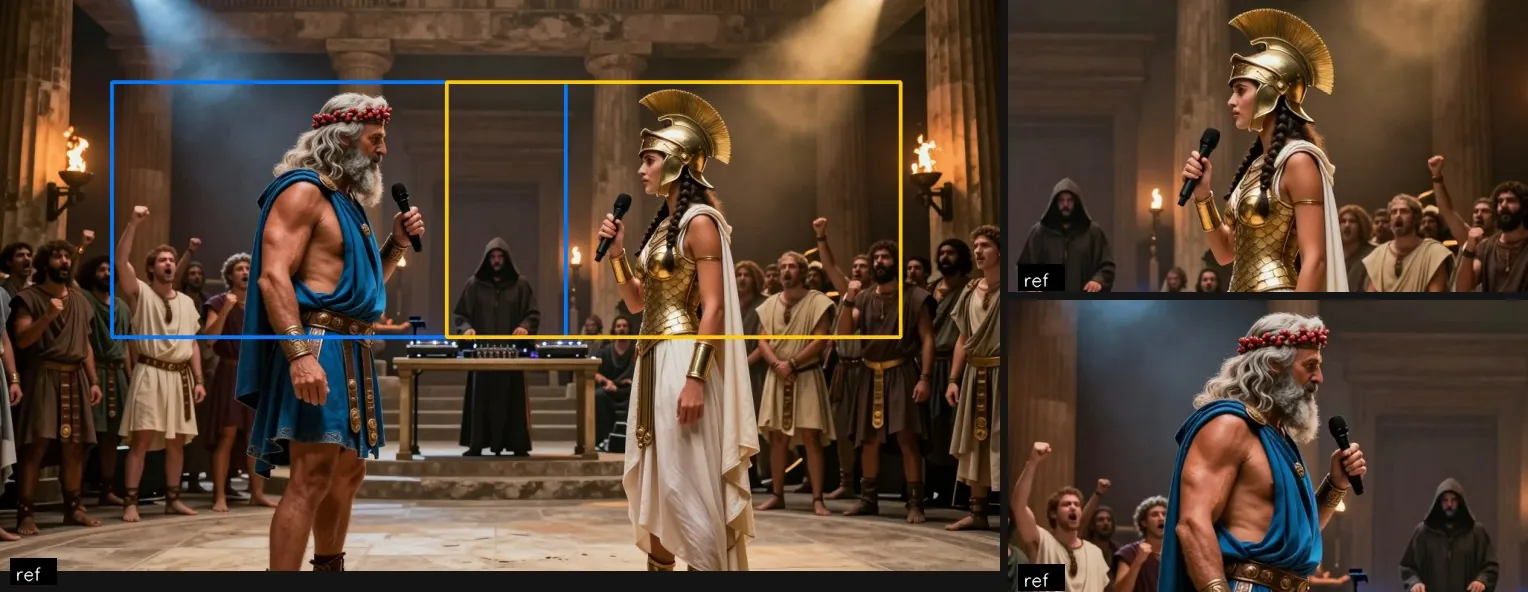
I skipped the first two steps for both videos, so the model had to invent the front and side views for ‘Whose City’ on its own.
3. Test generations first, regardless of image quality
Change only one thing at a time to see which wording fails and what the model cannot do. What I found with H3:
- The model follows the reference image most closely, then the audio, and the text last
- The first few seconds of each shot transition from the reference image
- Lip movements don't match the song, and camera angles cannot be specified reliably
- A shot can only be generated at 3, 5, 10, or 15 seconds
I tested 11 shots before making ‘Whose City’ and caught two errors that would otherwise have been copied across all 53 shots.

4. Draw a storyboard, one image per shot
For each shot, specify the framing, camera movement, what it should convey, and who is singing. Add an image, then lay the shots against the song as an animatic to check the pacing. Work within the limits found in step 3:
- Crop the reference image to the shot's framing first
- Keep each shot where the mouth is clearly visible under 2 seconds
- Make adjacent shots substantially different in composition
- Put recurring elements, including their colors, in one table
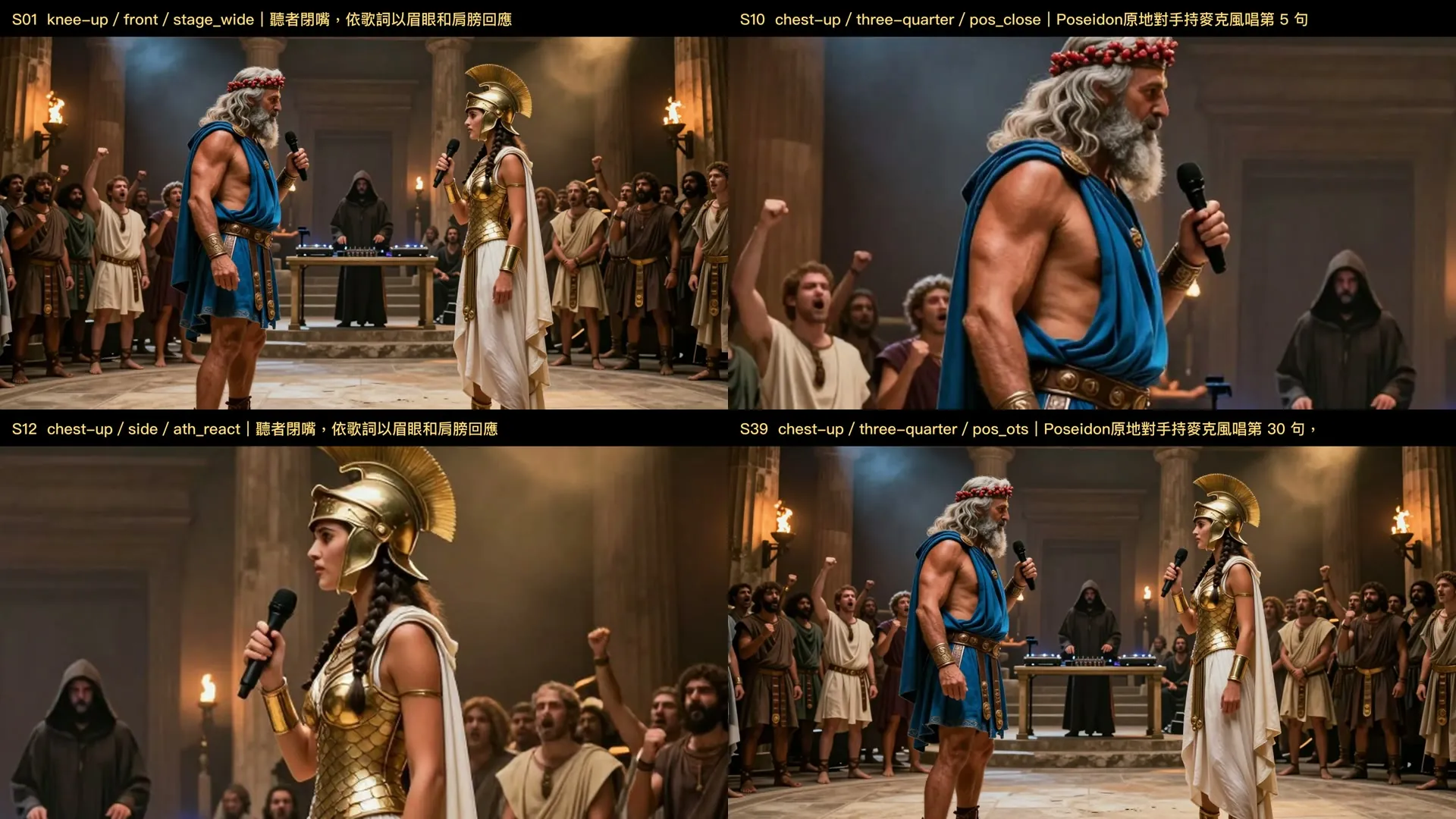
5. Generate each shot from the storyboard
Generate an extra 2.5 seconds for each shot so there is footage to trim from the beginning. Give each shot its own seed; a seed is a number that determines how the image looks. For continuous actions like turning around, continue generation from the last frame of the previous shot.
I write prompts using the three rules below. The model follows the reference image most closely, then the audio, and the text last (step 3), so all three need to describe the same thing.
First, state what you want clearly. Writing only ‘mouth closed’ still made the mouth move. Specifying that the character was not rapping, held the microphone by their waist, and stared with pursed lips finally kept it closed. Framing works the same way: with a full-body reference image and a ‘chest-up’ description, the model pushed in from full-body to chest-up. Cropping the reference image to a half-body view first stopped the push-in (though I also changed the description and seed that time).
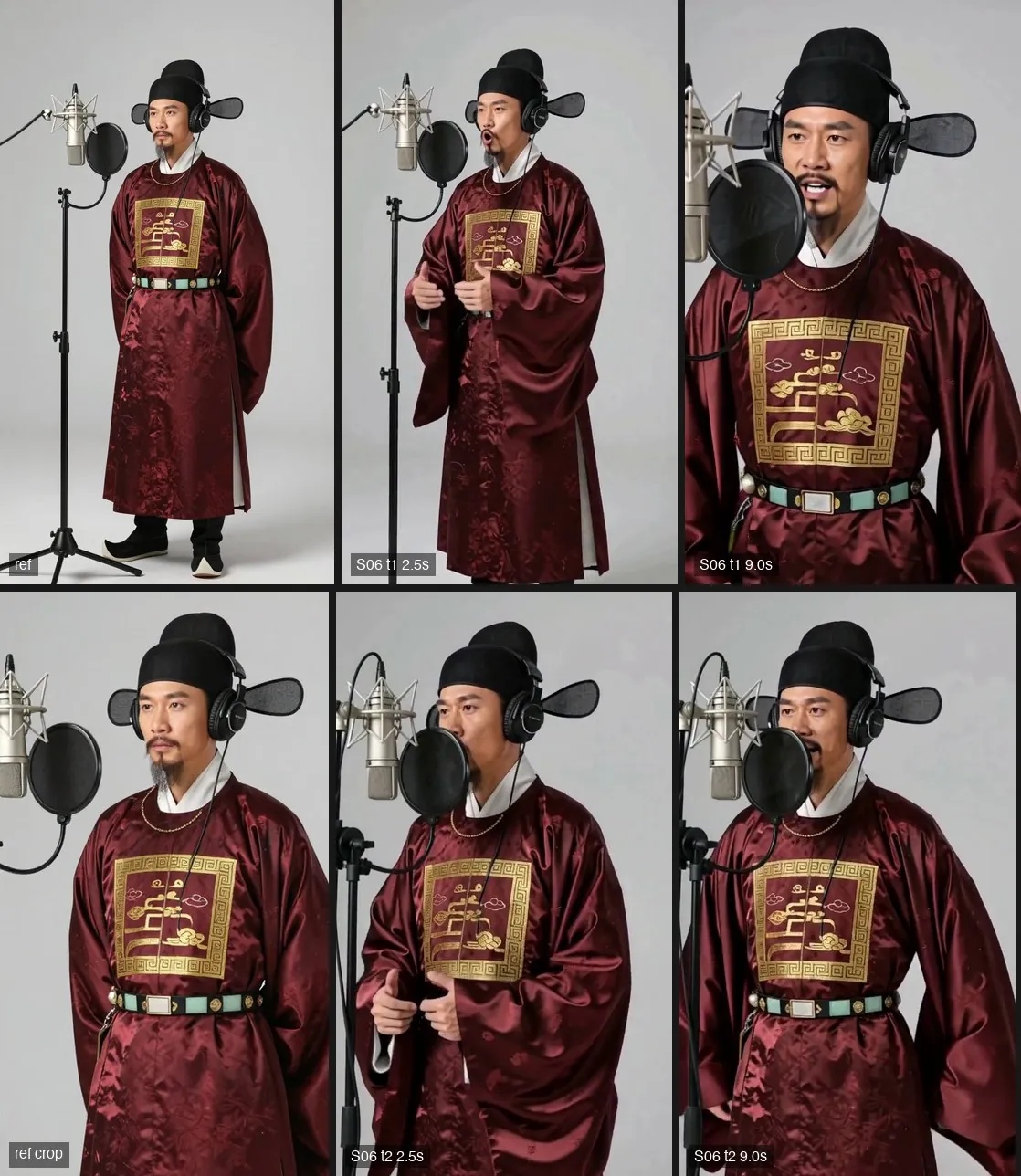
Second, leave out anything unnecessary. The model may draw anything you mention:
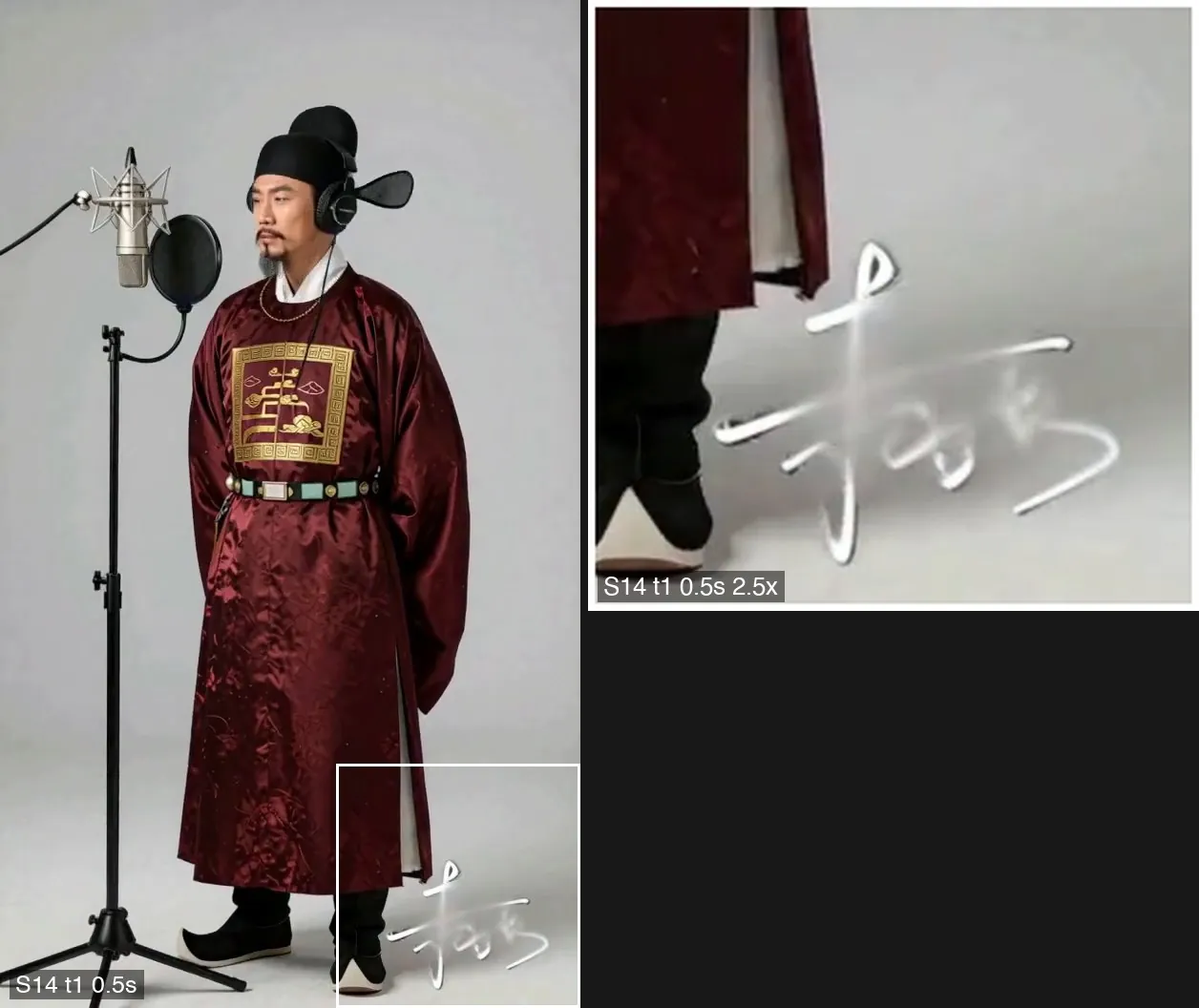
- Writing ‘leave space in the bottom-right corner for a credit in post’ added a string of fake calligraphy there
- Mentioning another person's clothing in a solo shot brought that person into frame, even though I explicitly said they were off-screen
- Describing everyone's positions in a sentence shared by all shots made close-ups start as wide shots (the image in step 3)
- Describing a tense jaw made the mouth more likely to move
Don't put text meant for post-production in the description; describe that area as a clean wall. Limit shared sentences to lighting and clothing, and describe only that one person in solo shots.
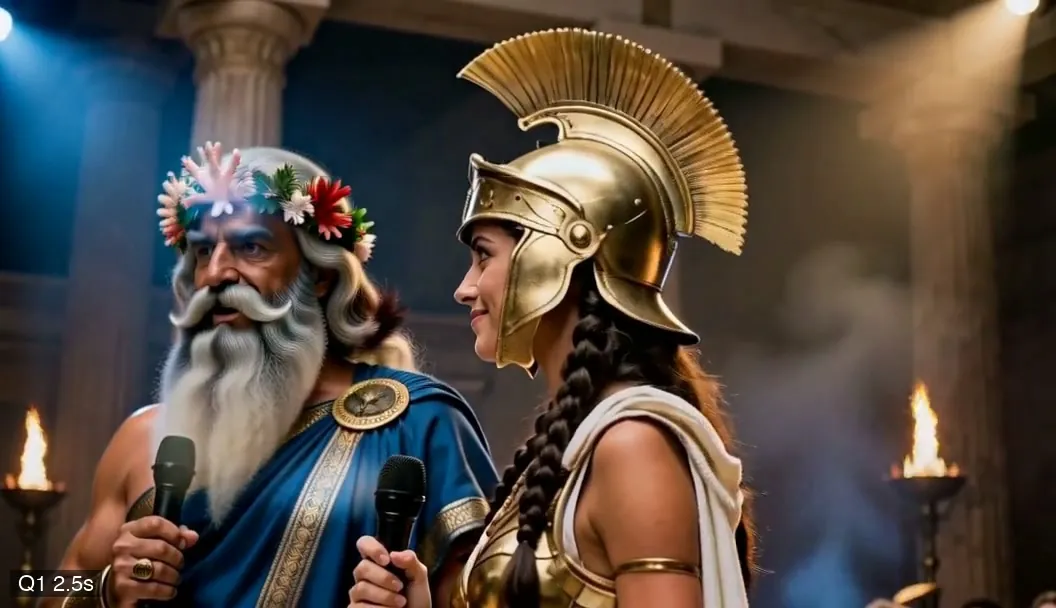
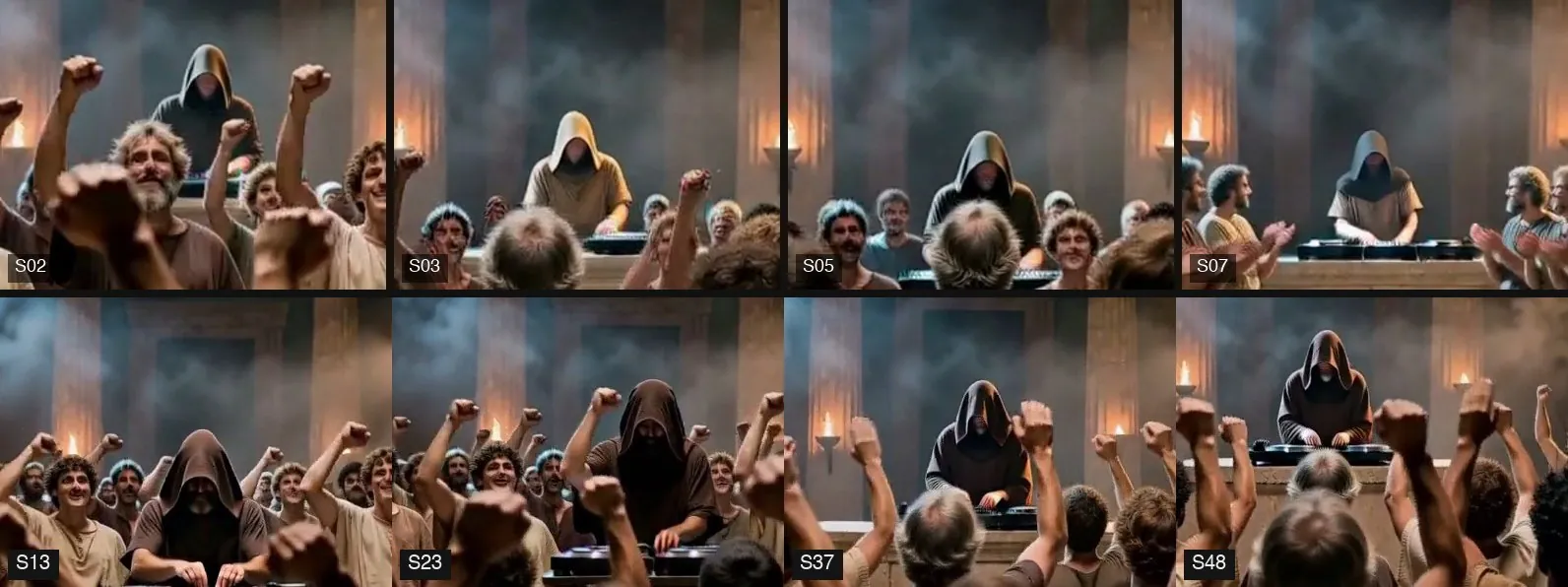
Third, specify anything that must stay consistent. When I wrote only ‘wearing a hood,’ its color varied from shot to shot. Changing it to ‘a dark-brown hood, face hidden in shadow’ made later shots consistently dark brown. I did not regenerate the earlier shots because the DJ was tiny in the frame.
6. Check each shot and turn recurring problems into automated checks
Write a checklist before watching: continuity, left-right direction, clipping or floating, speed of time, and mouths. Regenerate any shot that fails. When the same problem appears a second time, turn it into an automated check and test it first on a known bad sample.
Record what is visible on screen and when it happens. For the ending of ‘Koxinga's Exit,’ I recorded the issue as ‘still talking after the vocals stop,’ so the audio track got fixed, but the visual problem did not. Changing the report to ‘the person's mouth is still moving on screen’ got the right fix.
I later added this to the ‘Whose City’ checklist and caught the same problem while reviewing footage.
7. Lock the video, then upscale
H3 outputs only 1056×608. Each upscale takes a long time, so I wait until every shot is locked. Any shot regenerated afterward has to be upscaled again.
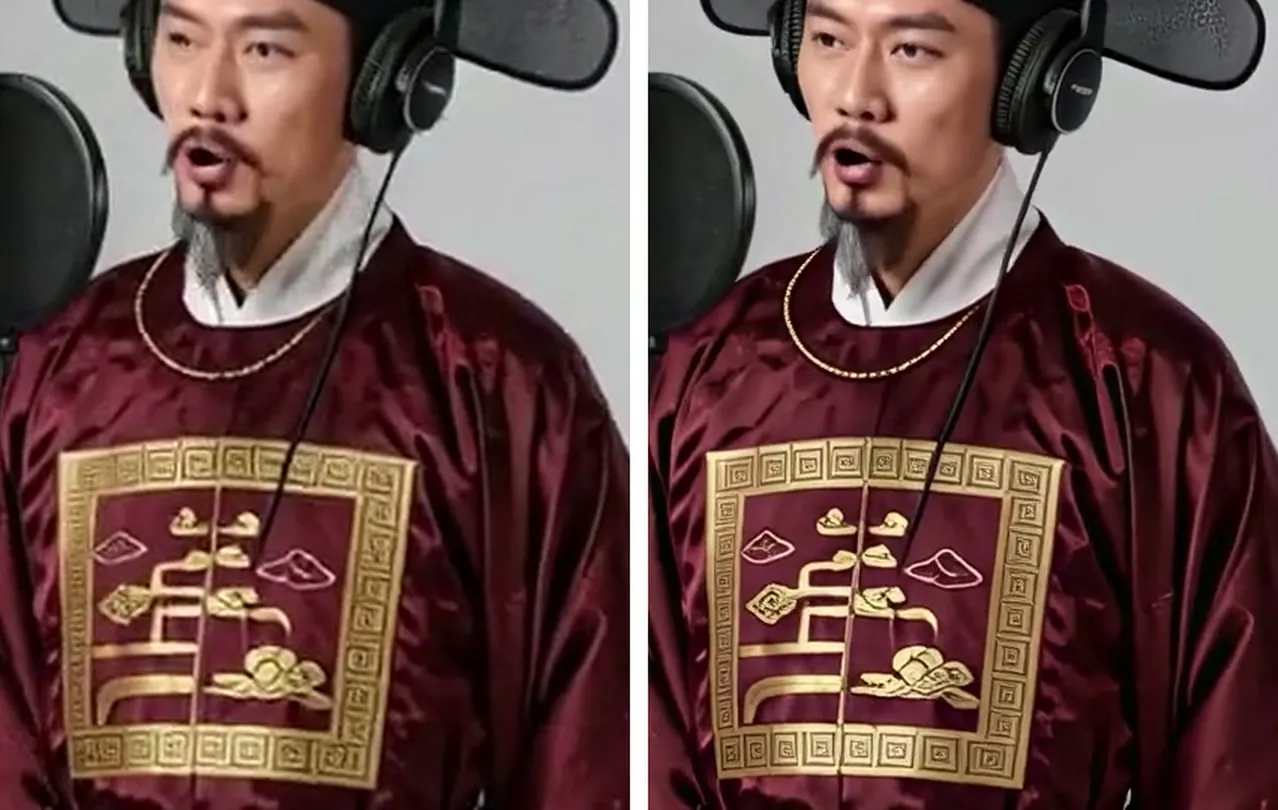
Upscaling can fail too. Shots with a push-in exhausted the GPU memory, so I had to split them into shorter sections and upscale again. The ‘skip already upscaled shots’ check compared only duration, so it missed shots that had been regenerated. After upscaling, check frame counts, cut points, and frozen frames. 4K takes about 10 times as long as 1080p, so I stopped at 1080p for both videos.
Common problems
Why does the start of every shot look like a freeze frame?
In reference-image mode, the first frame is almost identical to the reference image. Generate extra footage and trim the beginning.
Do two shots look like a replay?
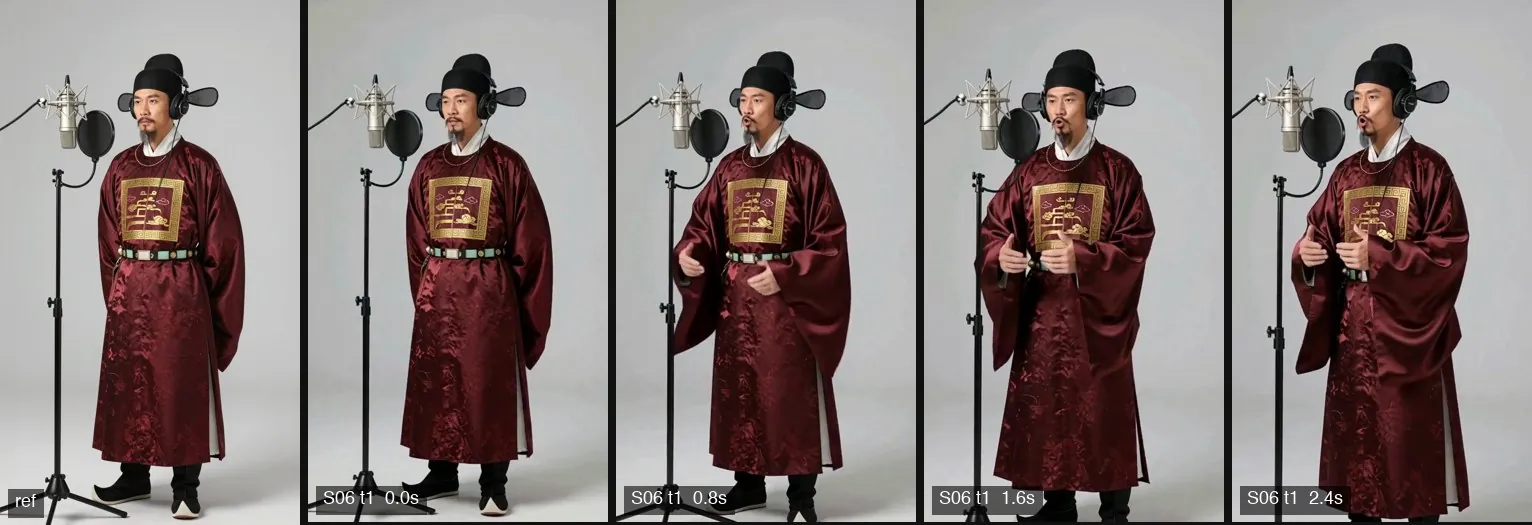
The same description and seed produce nearly identical images. Give each shot its own seed.
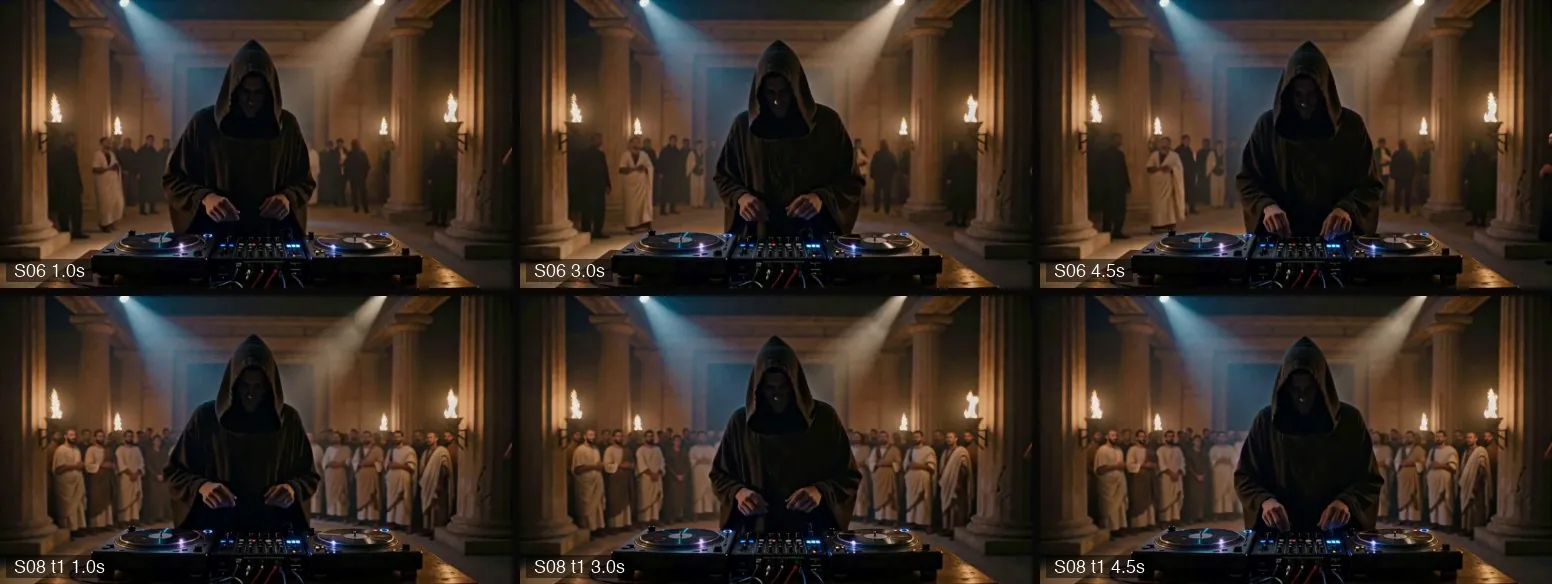
Still wrong after several regenerations?
If the same problem persists after two regenerations, stop changing seeds. Redesign the shot or use footage from another one. For one shot, I changed the wording and seed and removed the audio, but the character was still talking through four generations. In the end, I used a different unused clip.
Do two joined shots look like the image jolts?
That's a jump cut: the compositions are almost identical, and the person has moved only a few pixels. If the storyboard calls for a low angle but the model generates an eye-level shot, it can clash with the previous shot. A slow push-in on the previous shot in post made the cut a change in framing.
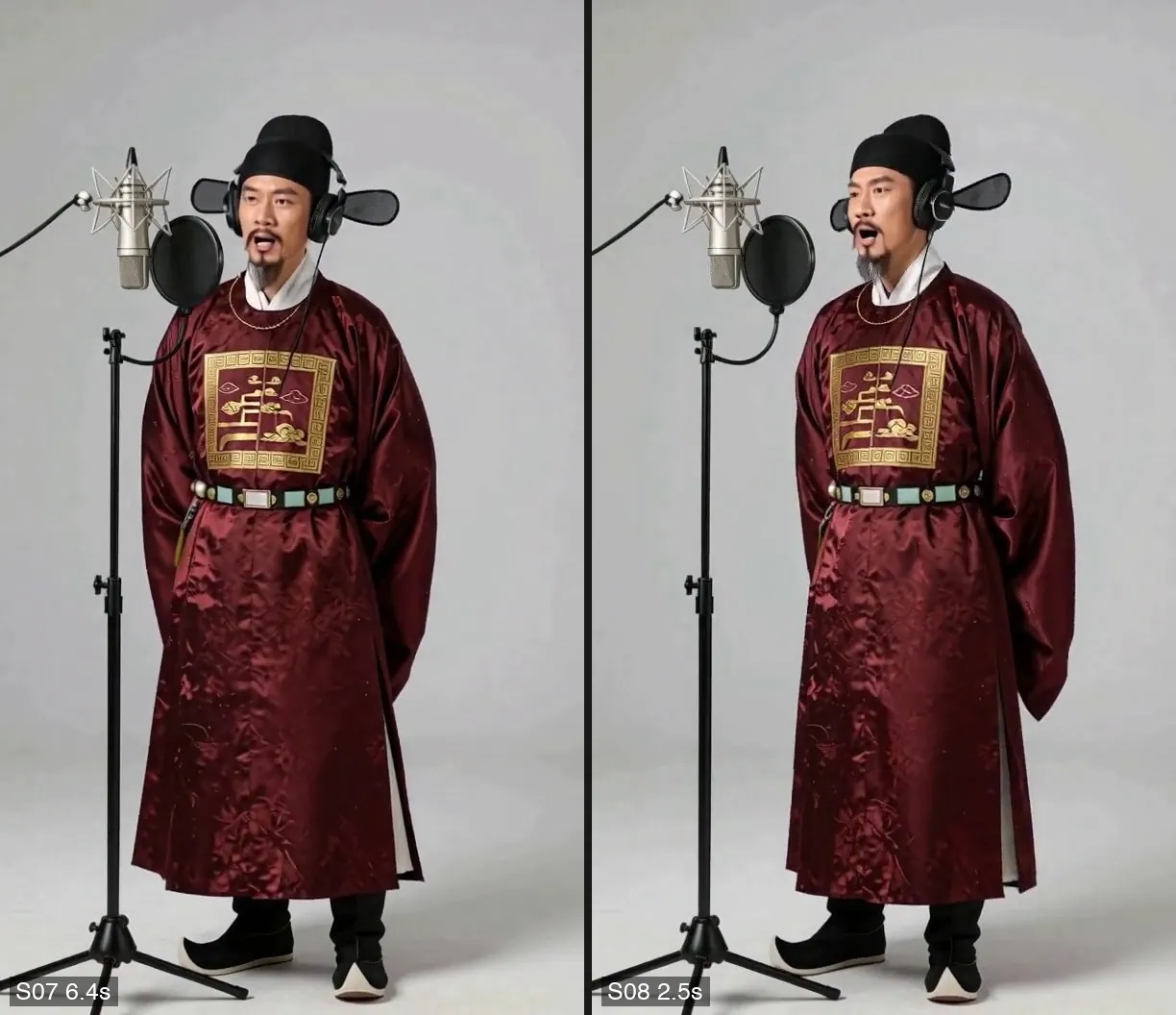
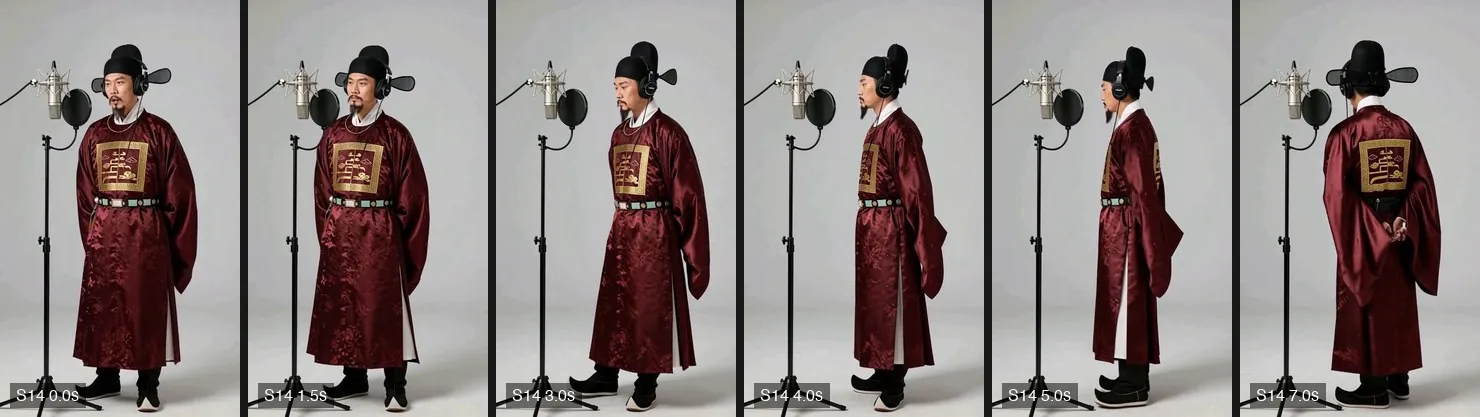
Does turning around look odd, as if it suddenly jumps to a rear view?
In the generated turn, only the head turned, not the body. The edit skipped that part, making a hard cut from the front to the back. I changed it to continue generation from the last frame of the previous shot, so the body and feet turned too.
Are all the shots too long and the pacing too slow?
The first ‘Whose City’ storyboard used video duration as the budget, which favored long shots: most lasted 6–7 seconds, versus 2–3 seconds in the reference video. I changed the budget to GPU time and compared the pacing against the reference.
Does the automated check flag a correct title card as wrong?
A fixed threshold worked on a flat gray wall but gave false positives against smoke and firelight. I changed the check to compare it with the same frame without the title card.
Can lip movements match the song?
Not as of October 2026. I measured it twice: the relationship between mouth opening and vocal volume was indistinguishable from a control with the timing deliberately offset. For now, I can only work around it in shot design, as in step 4.
Copy this for your AI Agent
Paste the following into your AI so it can compare the article against your song, character images, storyboard, and clips.
Further reading
| Resource | Why it matters |
|---|---|
| ‘AI Video Production: How the Footage Moves and How Much It Costs’ | Six ways to make AI videos and their costs. This article picks up where that one left off, with controlling multiple shots. |
| ‘曹操 VS 刘备 Freestyle 说唱 Battle’(Boundary into culture, @jieruwenhua) | I used it to measure the structure and shot types for ‘Whose City,’ but did not use its images or lyrics. |