AI Video:
How the Picture Moves and What It Costs
Making a video move comes down to three decisions: where the picture comes from, what timeline it follows, and how it becomes a file. They can be mixed, and they decide the money and time as well.
Six kinds of video, three generative models
In late September 2026, inspired by a few posts on X, I used AI to create six types of videos, writing production notes for each one (links at the end of the post). Each video is embedded where it comes up:
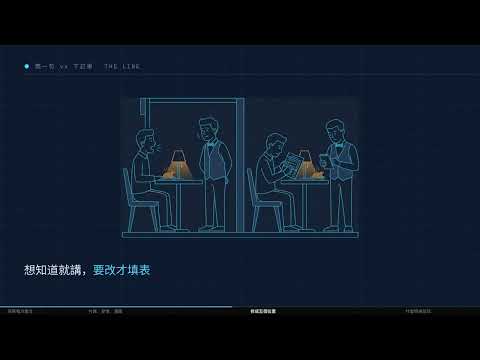
- Slide tutorial: Web-based slides with a computer-generated voiceover, 10 minutes 23 seconds
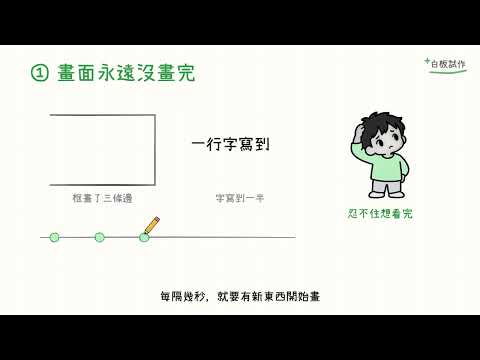
- Hand-drawn whiteboard video: The program draws lines one stroke at a time, with my voice as the narration, 67 seconds
- Self-introduction: Animated cards generated by a program, 38 seconds
- Character Animation: A cartoon character acts out a 15-second story, set to three different music tracks
- Beat-synced short: Footage changes in time with the music, 58 seconds
- Music video: Song composed by Suno; dance choreographed by a generative model; 2 minutes
I also tested three models that generate video directly: LTX-2.5, MiniMax H3, and Seedance 2.5.
What AI Can Do Now
AI That Writes Code: Creating a Video from Start to Finish
Programming AIs like Claude Code and Codex are already capable of creating a video from start to finish: reading reference articles, writing scripts, writing graphics code, instructing image-generation models to create illustrations, composing music, recording narration, and outputting the final video.
That’s exactly how whiteboard videos are made. The AI reads an article written by someone else, writes the narration and specifies what to draw for each segment, uses a voice model (IndexTTS 2) to mimic my voice for the narration, and then uses a program to draw the video frame by frame.
When tasks can be broken down, AI can handle them simultaneously: the 18 chapters of a slide-based instructional video were handled by six different AIs working independently, then stitched together into a single video.
Generative Models: One Image or One Sentence, Five Seconds of Video
Generative models don’t require coding—they generate visuals directly. Give it an image as the first frame, then describe the motion with a single Chinese sentence, and it will generate a five-second clip.
The three clips below were all generated on my home RTX 3090, audio included. The first two use the same image and the same Chinese sentence, 「咬嘴唇 看左看右 手撩頭髮」 (bite lip, look left and right, brush hair back): LTX-2.5, then H3. The third is H3 with a different image and a different sentence, 「慢慢抬起頭看向窗外,陽光灑在臉上,髮絲輕輕飄動」 (slowly raises her head toward the window, sunlight on her face, hair drifting gently):
The hardest part of video is continuity: the same face, natural movement, lighting that doesn't jump. In the first two, the H3 shot stays still and the face doesn't change; LTX-2.5 zooms in on its own, and the face shape and hair color drift in a few frames.
It’s okay to omit the first frame. Seedance 2.5 only received one English line: “The black cat butler pours black tea in the study bathed in sunlight; the camera slowly zooms in, and the sound of porcelain clinking should be audible”:
When Grok generates a video, it also generates background music by default—a 10- to 15-second clip.
I used the official templates for LTX-2.5 and H3, leaving the default settings unchanged; the only thing I wrote was that one Chinese sentence.
The generative model is limited to 5 to 15 seconds per run, so the background music doesn’t transition smoothly between segments. It generates raw footage; the entire video still needs to be stitched together by a program.
Limitations
The following five issues each have an example that illustrates them:
- It can't hear. The whiteboard video has a “click” sound at the beginning and end of every line, yet the AI’s automatic checks all passed. Audio quality must be assessed by human ears or through specialized checks designed to measure sound.
- It doesn't ask for assets. One version of the self-introduction had not a single image—everything was drawn in code, even though the original reference material contained 11 3D images. The AI didn’t warn that “insufficient source material will result in poor quality” and delivered it anyway. Source material must be prepared in advance and provided to it.
- Do not fully trust its own reports. One AI reported that it created 1 animation, but another AI measured it and found 0. It must be re-measured by another AI or tool
- Generative models only use the data they have at that moment. When generating a dance routine without providing a song, no amount of post-processing could fix it: two programs designed to sync dance steps to the beat both passed their own tests, yet the dance still didn’t hit the beat. When given a reference video, it learns the visual appearance, not when to move: giving the beat-synced short the original video as a reference cut how closely it followed the beat from 12x to 6x (one was created for each).
- The default settings are Simplified Chinese characters and mainland terminology. The typing interface defaults to Pinyin, and on-screen text defaults to Simplified Chinese; you have to explicitly specify otherwise to change these settings.
How to Make the Images Move
A video consists of a series of still images; switching between them rapidly creates motion. For each clip, you need to decide on three things: where the frame comes from, what timing it follows, and how to export it as a file. These three elements can be mixed and matched as needed.
Where Do the Frames Come From?
There are three sources for frames, and a single clip can utilize all of them:
| Source | Used For | Characteristics |
|---|---|---|
| Program-Drawn | Slides (CSS), whiteboard (SVG), self-introductions (Remotion), character animations (WebGL), beat-synced short (Canvas), music video effects (Python) | Every action is coded; changing a single number lets you redo it |
| Image models | Slide illustrations, whiteboard stickers, self-introduction characters, music video characters | Draw elements that code can’t handle well, then let the code animate them |
| Video Generation Models | Music video dance sequences (H3, Grok) | Realistic, but segments are very short and may not follow instructions (H3 didn’t use the required green background) |
Music videos are a mix of all three: Grok draws the characters, H3 and Grok generate the dance routines, and Python cuts out the figures, draws lines and sparks based on body positions, and switches shots in time with the beat.
The self-introduction is the code-drawn case: the black cat was drawn by an image model, and Remotion computes every card's position, size and opacity frame by frame.

What Timeline to Follow
To ensure the visuals and audio are synchronized, they must share the same timeline. There are four sources for this timeline:
Narration. First, record the narration and measure how many seconds each segment takes, then arrange the visuals to fit within that timeframe. When there isn’t enough time to fit all the strokes on a whiteboard slide, borrow time from the beginning of the next segment; if that’s still not enough, speed up the entire segment—up to 3x. The visuals are arranged to match the audio; they aren’t edited to align afterward.
A self-created beat chart. The beat-synced short uses 120 beats per minute; at 30 frames per second, one beat equals exactly 15 frames, with each beat landing on a whole frame. A single timing sheet determines both where sound effects are placed and when the visuals move.

Every action in the character animation is also aligned to 120 beats per minute, so once the animation is done, any soundtrack lines up. The same 15-second animation got three:


A pre-existing song. The song in the music video gradually accelerates from 134.5 beats per minute to 137.5 beats per minute, causing the evenly spaced grid to become increasingly misaligned, so a program was used to identify each of the 271 beats one by one.

The generated dance must be in time with this song, so the song must be provided to the model during generation:
| How the dance is generated | What it hears during generation | Is it in time with the beat? |
|---|---|---|
| Grok, with our song added afterward | Music it generates itself | No |
| H3, using our song during generation | Our song | Yes, clearly in 4 out of 7 segments |
| Grok, using its own generated music | Its own generated music | 1 out of 10 segments—depends on luck |
Model’s built-in soundtrack. Grok’s dance uses its own music, and whether it’s in time depends on luck—you’ll need to generate several clips to pick out the one that’s in time, which is essentially a “roll of the dice.” For short clips under 15 seconds, you can directly cut out the person and replace the background; Gorden Sun created a video this way. For longer videos, since the music in each segment doesn’t seamlessly connect, you can import one segment into Suno to extend it into a complete song, then use that song as the timeline.
How to Export as a File
There are only two export options, depending on which clock the animation follows:
- Synchronized with the browser’s clock: Only real-time recording is possible. CSS animations run according to the browser’s own timing and won’t wait for you. For the slide tutorial, I tried capturing frame by frame, but it was too slow; capturing fewer frames resulted in footage showing the animation midway through a movement, so I eventually switched to recording at normal speed.
- Ask “What frame is it now?”: You can calculate frame by frame. With Remotion, Canvas, SVG, WebGL, and Python, the program asks “What frame is it now?” and then renders that frame. Since each frame is independent, you can render them slowly or open multiple browsers simultaneously to render them in parallel
Clips from generative models are used as source material at the frame-by-frame rendering stage: For each frame of a music video, the character is first cut out, the 33 body points are identified, and then special effects are applied.
Cost and Time Required
Money: generation is billed per second; code-drawn video costs AI usage
Cost of generating a video, converted to per second (September 2026):
| Model | Conditions | Price | Per Second |
|---|---|---|---|
| Seedance 2.5 | 720p, 5 seconds, with audio | $1.19 | approx. $0.24 |
| Grok (Paid API) | 720p, 10 seconds | Actual charge: $1.41 | Approx. $0.14 |
| H3 (Paid API) | 1344×768, 10 seconds, with song | $0.80 | Approx. $0.08 |
| LTX-2.5, H3 (own graphics card) | 5 seconds | Only electricity costs | — |
According to the Grok pricing page, it should be $0.80, but $1.41 was actually charged; I couldn’t find the reason for the difference.
A 2-minute music video generated entirely with H3 costs about $9.60, while using Seedance exclusively costs about $29. This music video was generated using my own graphics card and a Grok subscription, so no additional payment was required.
Code-drawn video isn’t priced by the second; the cost is based on the AI’s coding usage. Before creating the music video, I made a 10-second test clip with the same specifications. Based on API pricing, Codex cost about $1.14, while Claude Code cost about $6.68. These costs are typically covered by the monthly subscription fee.
The total additional cost for the entire experiment was approximately $3.44: $2.25 for paid generation using Grok and H3 (including $0.04 for a character image), plus $1.19 for Seedance. Monthly subscription fees, graphics card costs, and electricity costs were not included in this calculation.
Time: Depends on the Output Method
- Real-time Recording: The recording lasts as long as the video. A 10-minute, 23-second tutorial video was recorded for 10 minutes and 23 seconds.
- Calculated by frame: Number of frames × time required per frame ÷ number of browsers open simultaneously. The beat-synced short (1,755 frames, 6 browsers) took about 5 minutes; the 67-second whiteboard video, with 4 browsers, took 21 seconds. The time per frame depends on the drawing method: hand-drawn brush strokes for character animation take 0.27 seconds per frame on an M4 Mac, but can stretch to 1.9 seconds when the computer is busy
- Generation: on an RTX 3090, a 5-second clip takes about 80 seconds with LTX-2.5 and about 110 seconds with H3; Seedance in the cloud took 191 seconds; the paid H3 API took about 3.5 minutes for 10 seconds
These figures were measured in a single test on the same machine; performance slows significantly when the computer is running other tasks simultaneously.
What Kind of Video Do You Want to Make?
| Type of Video | Visuals | Timing follows | Cost | Time depends on |
|---|---|---|---|---|
| Tutorials, Explanations | Web slides or program-drawn lines | Voiceover | AI usage | Video length (recording) or frame count (calculated frame-by-frame) |
| Beat-synced short | Code-drawn | Self-made beat sheet | AI usage | Number of frames ÷ browsers running at once |
| Character Animation | Computer-drawn frame-by-frame, starting with character sheets and storyboards | Fixed tempo, music added later | AI usage | Time per frame (Brush is very slow) |
| Dance Music Video to a Specific Song | Generated dance + code effects | Off-the-shelf song provided to the model during generation | About $0.08 per second (H3 paid API), or your own graphics card | Number of generated clips |
| Short music video under 15 seconds | Generate dance + change background | Model comes with its own soundtrack | Included in subscription | Number of attempts required to hit the beat |
| Single realistic scene | Generative model | — | $0.08 to $0.24 per second, or use your own graphics card | About 1 to 3 minutes per 5 seconds |
First ask whose clock the picture follows
Where the picture comes from, what timeline it follows and how it is exported decide how precise it can be and what it costs.
Paste this into your AI and let it check your own video project against it.
Further Reading
Seven production notes
| Resource | Why it matters |
|---|---|
| Slide-Based Tutorial Videos | Why CSS animations can only be recorded in real time |
| Hand-drawn Whiteboard Videos | Record the narration first, then fit the pen strokes into its timing |
| Remotion Self-Introduction | While the code can create the animation, you’ll need to prepare the assets first |
| AI Character Animation | Create a character sheet and storyboard before you start |
| Three Approaches to Animation Soundtracks | First, sync the action to the beat, and the music will always sync up afterward |
| Beat-Synced Video | Reference videos help you learn the characters’ appearances, but not their timing |
| AI Music Video | Make sure you can hear the song when generating the dance |
Where the methods came from
| Resource | Why it matters |
|---|---|
| ConardLi: web-video-presentation (garden-skills) | Slide-based tutorial video |
| Simon Talks AI: Creating Whiteboard Videos with Codex + Excalidraw(whiteboard-video) | Whiteboard video: narrate first, then draw |
| Kent C. Dodds: Let AI Create Its Own Showreel | Self-Introduction |
| Jason Zhu: How to Make AI-Generated Animations That Don’t Look Like PowerPoint Slides(ClaudeAnimationBase) | Character animation techniques and animation guidelines |
| Gorden Sun: Beat-Synced Videos with Opus in CapCut (Jianying) | Original prompt for the beat-synced short |
| Sankakuten(Sequel、aicreataro) | How to Make an MV |