
My Mac's disk was almost full,
so I had AI build a space map
Hoard is a disk space tool I built for myself. This post covers the two days from idea to open source, and how that differed from the way I used to build tools.
The disk was almost full, and the existing tool made me wait
In October 2026, the disk on my Mac mini was almost full. The Storage page in System Settings shows only one colored bar. The biggest chunk is labeled “System Data”, and clicking into it doesn't tell you what it is.

I started with Mole, a free Mac cleanup tool. It works, but every scan takes a while. Once Hoard was built, I measured both on the same machine. Press the button below to watch the run at its real speed.
| Folder | Hoard | Mole |
|---|---|---|
| ~/Library | 3.17 (2.39–7.51) | 9.31 (8.05–12.10) |
| My projects folder | 3.63 (3.57–6.67) | 7.10 (6.07–8.64) |
October 23, 2026, on the same Mac mini: Hoard 0.6.3 against V1.62.0 of Mole's open-source command-line version. The two tools took turns for 5 rounds; each cell is the median, with the fastest and slowest runs in parentheses, in seconds. Other work was running on the machine while I measured, so all the timings come out a little slow; look at the relative gap. The Mole.app GUI I normally use is a separate program, and I didn't measure it.
On a first scan, both tools walk everything from scratch, and Mole takes two to three times as long as Hoard. Both also keep a cache, so reopening a folder you just scanned takes a second or two either way. The difference is whether the cache stays accurate. Mole's cache goes by a folder's modification time; when a file grows, the folder itself doesn't change, so Mole reports the old number. I appended 50 MB to a file, and Mole's cache still reported the original 150 B. After Hoard reads its cache, it uses the file-change log that macOS keeps to fill in what changed since. Mole also estimates folders like node_modules as a whole, so in ~/Library it actually counted only about half of the files.
I wanted one scan to be accurate, and after that to see whatever I click on right away. So I decided to build it myself.
This time, step one wasn't writing code. It was measuring
In the past, when a tool didn't fit, I'd switch to another one or put up with it. This time I changed the order: through the whole process I mostly made the decisions, and the AI wrote the code.
Measure first, build once I knew it could work
I had the AI write a small experiment that measured only one thing: how long a full walk of a folder takes. On October 20, my projects folder held about 880,000 files, and one walk took around 4 seconds. That beat the 8 seconds Mole needed while walking only 30% of the files, so I decided to go ahead.
Read someone else's code to learn the ideas
Mole's command-line version is open source. I had the AI read how it handles APFS clones and how it marks folders it can't read. I borrowed those ideas and didn't copy a single line of code.
I write the requirements, check the results, and send work back
Task cards, implementation, and review go to different agents, following the “multi-agent division of labor” setup I wrote about earlier. The name was settled the same way: the AI's first round proposed Meerkat and a hand-drawn icon, and I rejected both before settling on a squirrel. A squirrel hides nuts in many places and remembers where it hid them, and “hoard” means to stash things away.

I wrote the design doc on October 20, and on the 22nd Hoard 0.6.0 was open source on GitHub.
People read the map, AI asks for the list
Hoard has two kinds of users: me, and the AI agents I bring in to help. The same scan gives each of them its own way to read it.
People get a space map. Each folder is drawn as a block whose area is its size, so the biggest one stands out at a glance, and a double-click takes you inside.
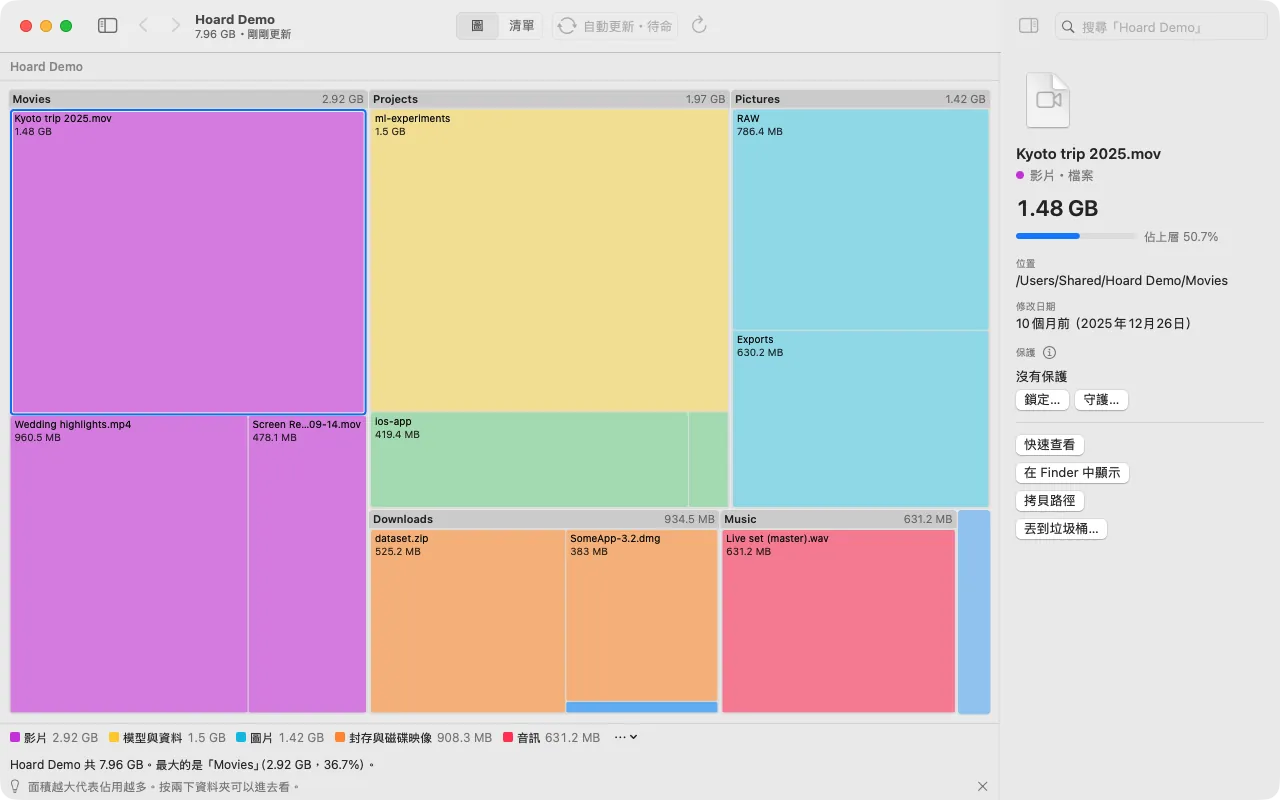
Besides the map, there are three lists: the largest files, file types, and files that haven't been opened in a long time.
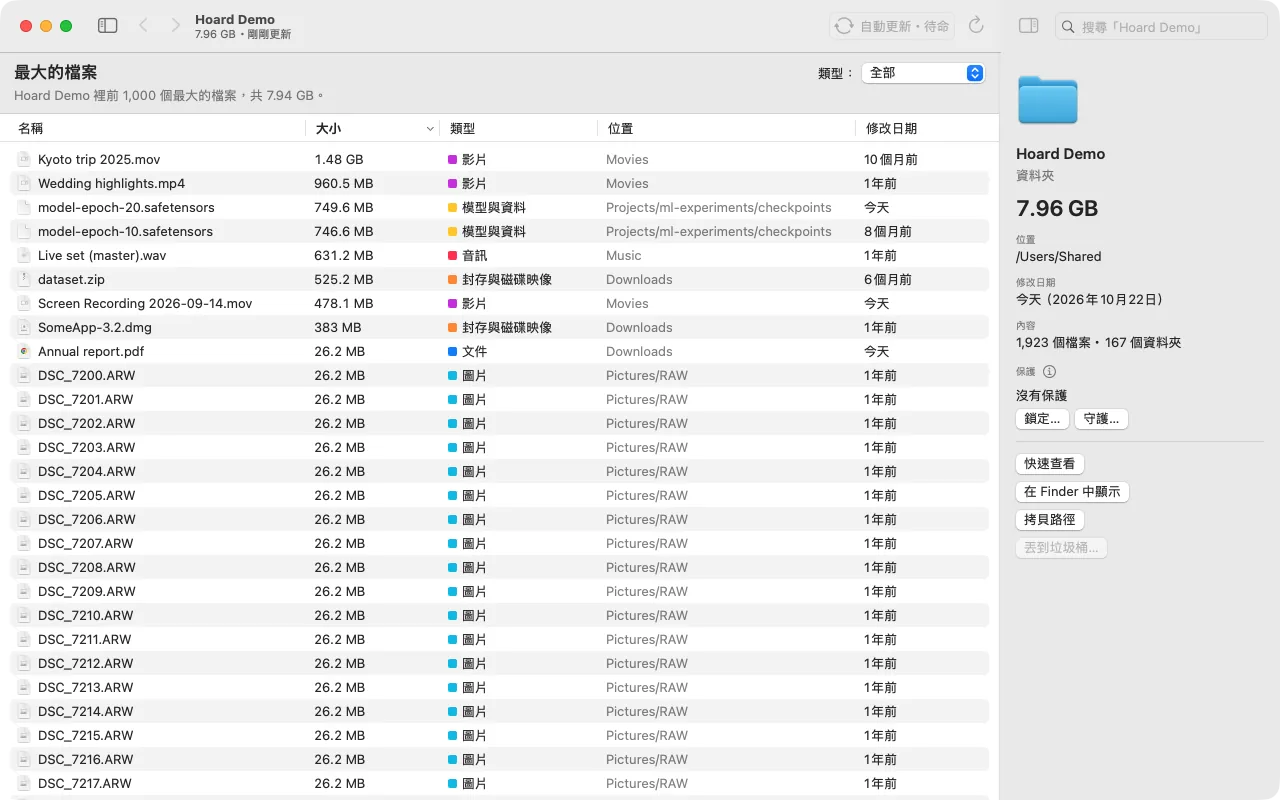
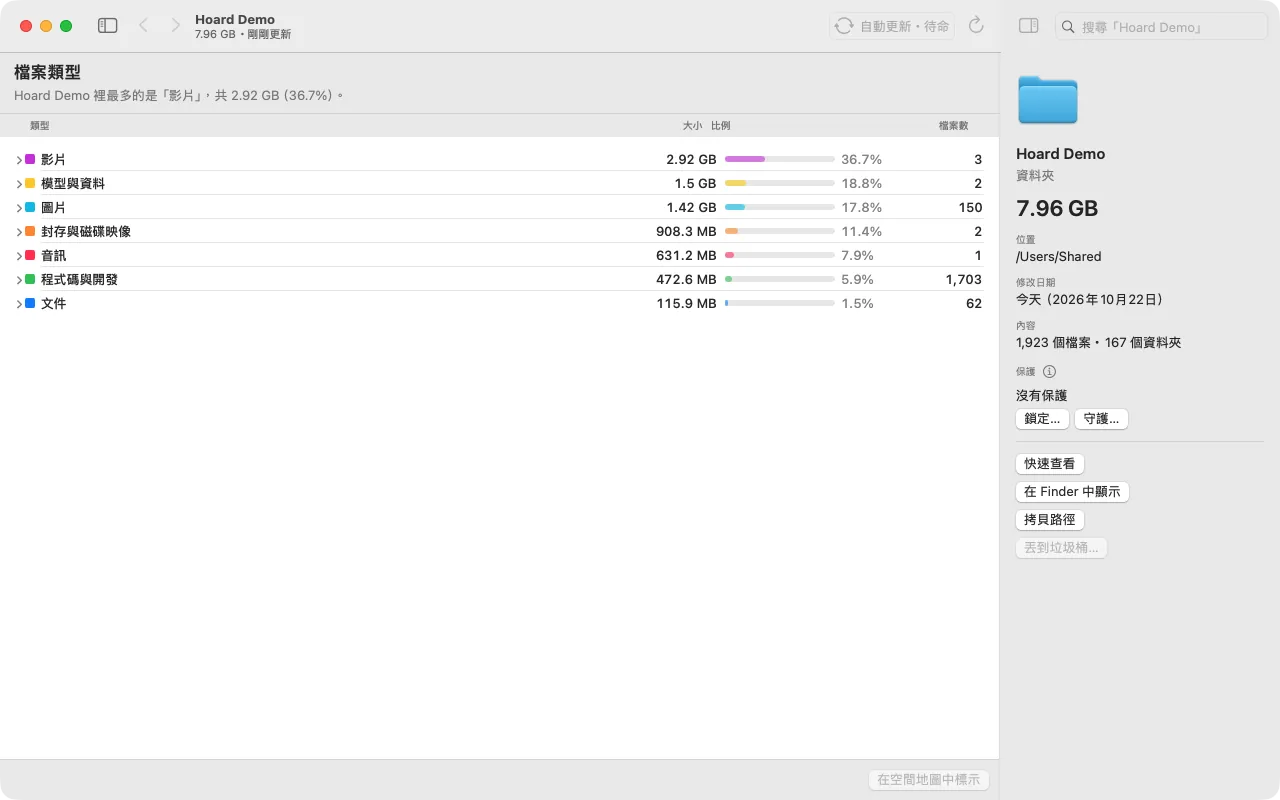
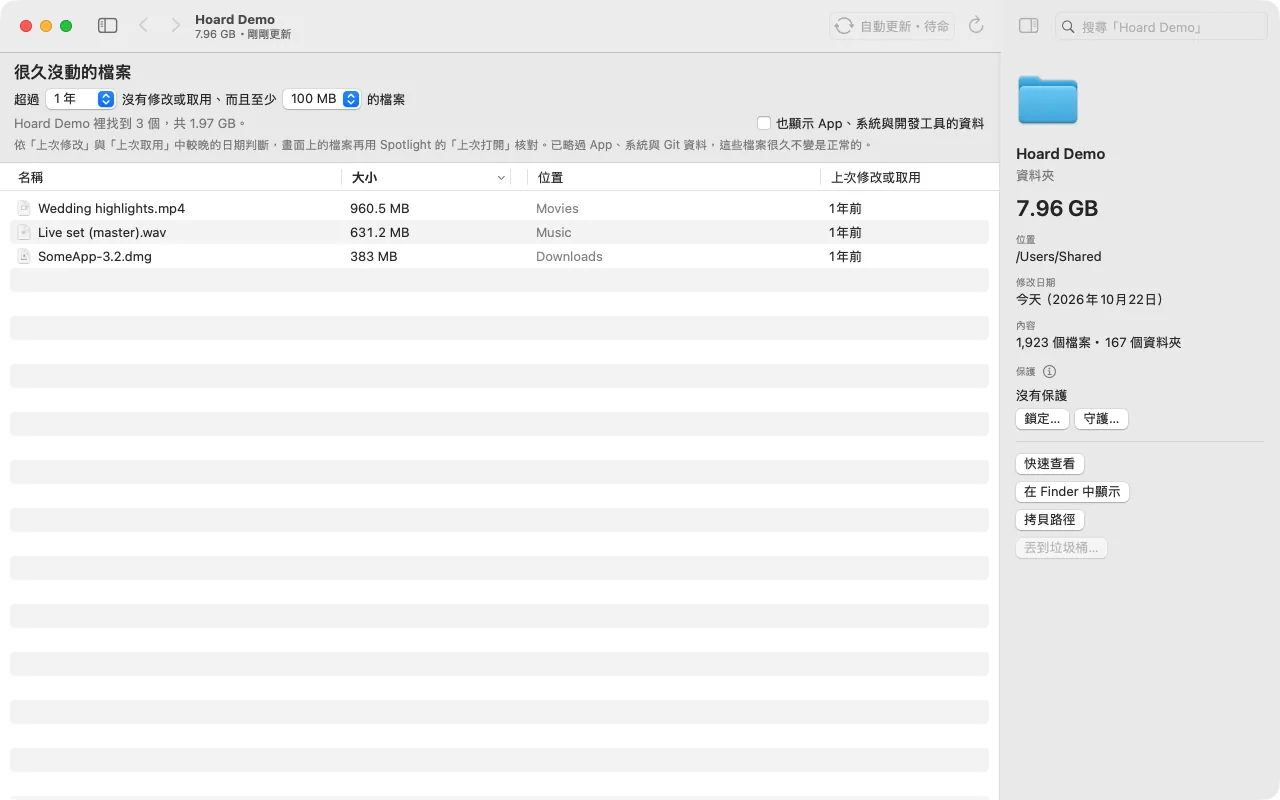
AI gets the command line and MCP. Every command takes --json, which switches the output to a format programs can read. When I ask Claude Code “what can I clean up?”, it asks Hoard and comes back with a list that gives a reason for each item, such as which caches can be downloaded again.
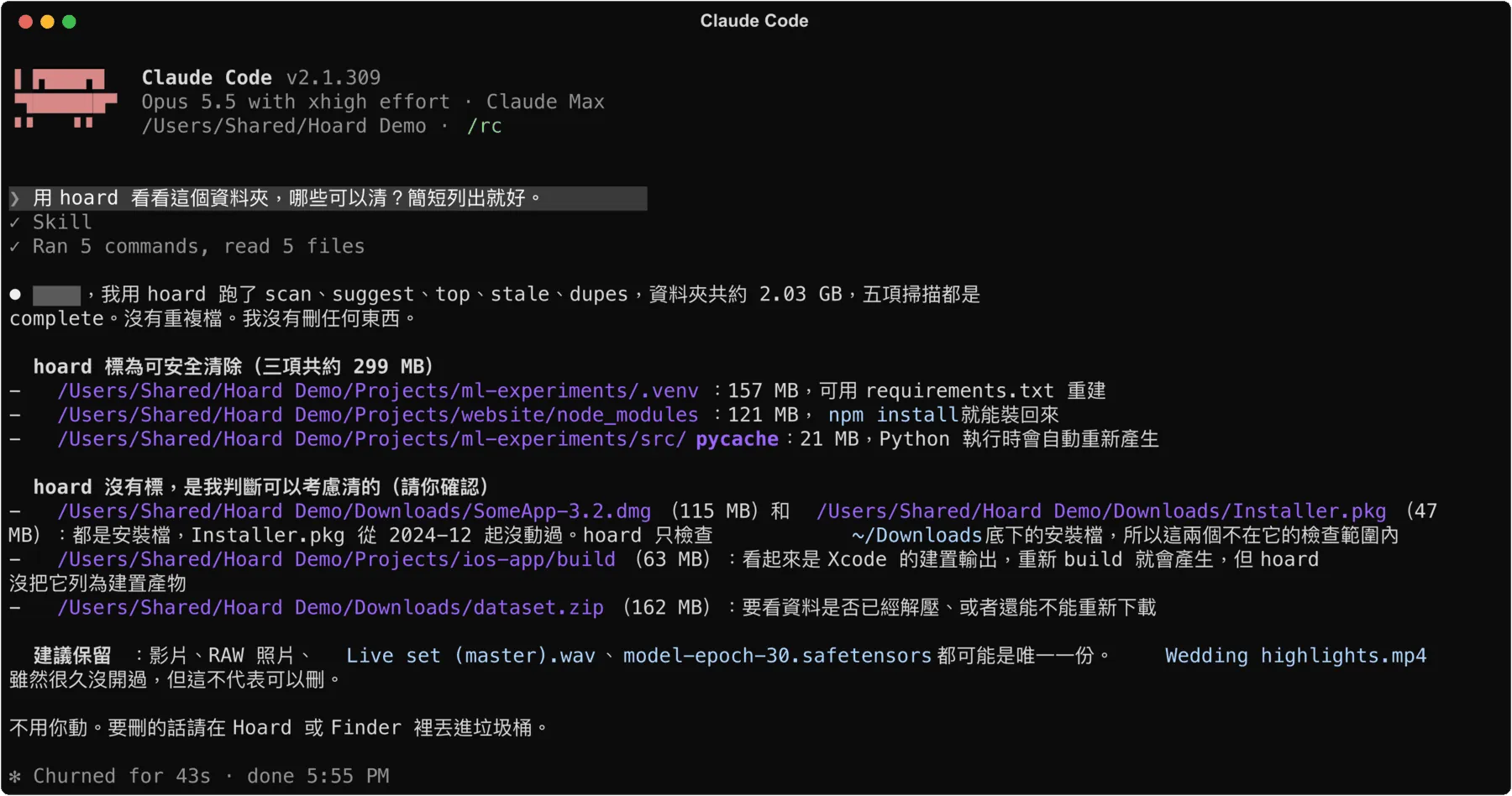
People look for big things with their eyes, AI gets a list by asking, and both come from the same scan.
The features after the first version were picked by AI after reading comments
Once the first version worked, I asked the AI to read about 1,600 comments on Hacker News and Reddit discussing Mac disk tools (October 2026). What people praised, I followed; what they complained about, I avoided.
The most requested feature was “what grew since my last scan?” Hoard already had it, called Recent Changes, so I moved it to the top of the feature list.
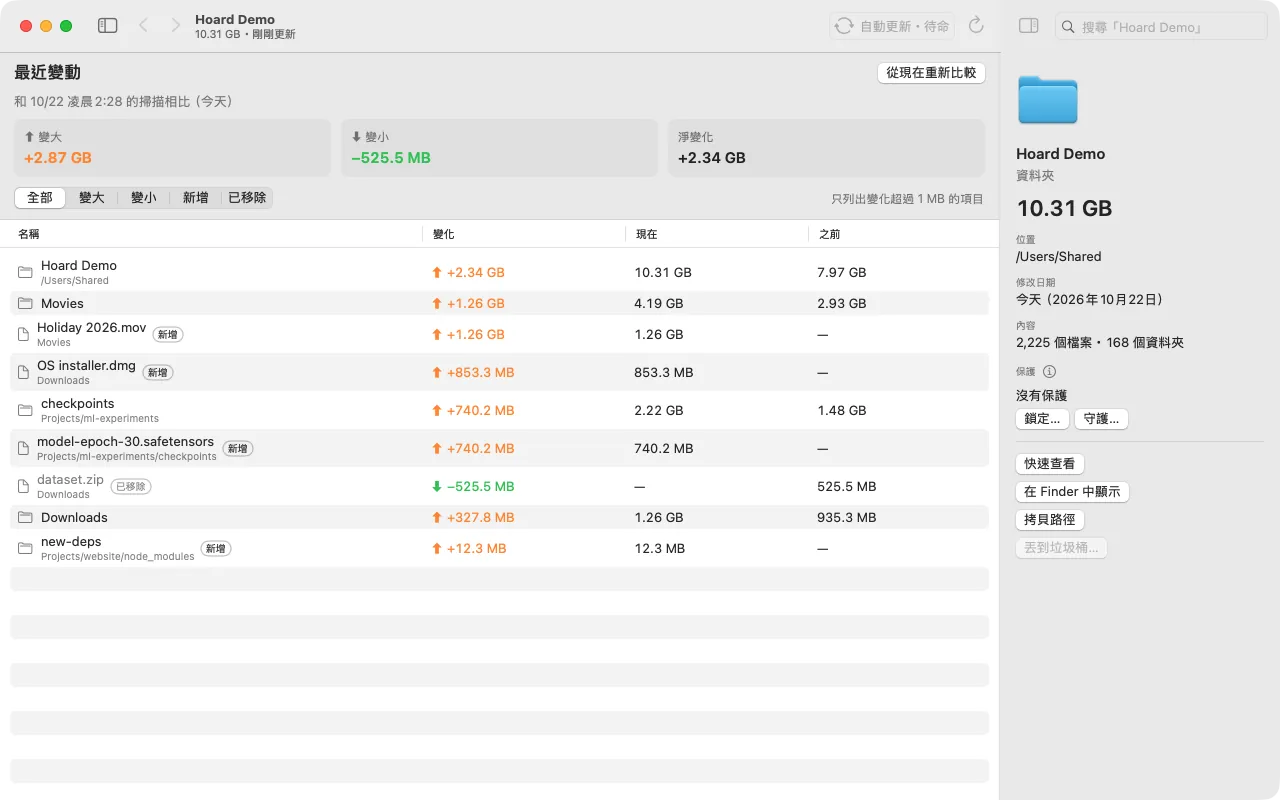
A few things weren't finished yet, so later versions added them. System Data gets split into the parts that can be measured, such as swap files, snapshots, and folders that can't be read. A right-click in Finder opens a folder in Hoard, and lists can be exported to CSV. Any size that can't be determined is marked “unknown”, never written as 0.
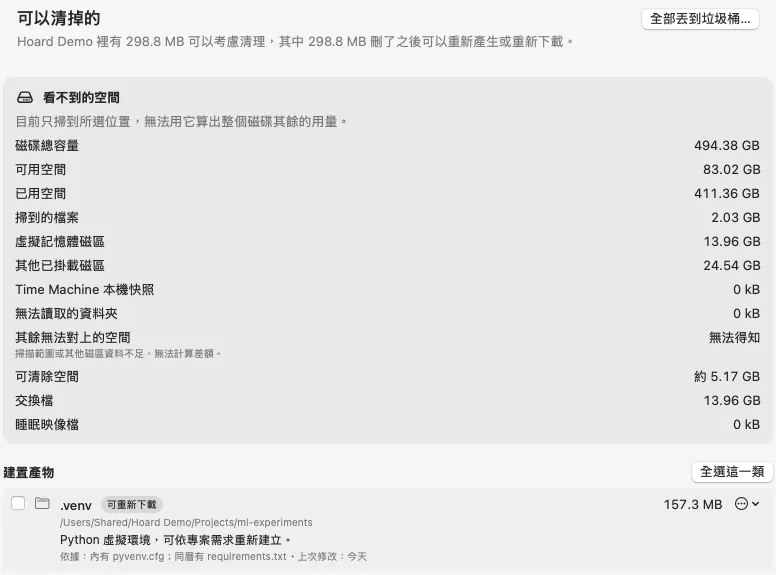
Most of the details added after the first version came from those comments.
A tool like this is hard to charge for, so I open-sourced it
I thought about charging for it, and the more I thought, the more awkward it felt. What Hoard does can be described in a sentence: scan, draw a map, list things. Hand that description to any AI agent and it can build its own version, or even reverse-engineer the app directly.
So I open-sourced it under the MIT license. What I get in return is something else: people use it, report problems, and trade ideas, and others can see whether what I build actually holds up. To me, that kind of credibility is more worth building up than license fees.
Open source has a cost too: the maintenance happens in public. My README says it's maintained on a best-effort basis, with no promised response time on issues.
Charging can't stop someone from rebuilding it; open source at least gets me a conversation.
Three things to know before you try it
- It isn't notarized by Apple (notarization needs a paid developer account), so the first launch gets blocked; go to Privacy & Security and click “Open Anyway”.
- Scanning the whole disk needs Full Disk Access, and you have to grant it again after every update.
- It's built only for Apple silicon; I haven't tested it on Intel Macs.
If those three are fine with you, you can install it and scan your own disk once.
Copy this for your AI agent
See what's taking up the space first, then decide whether to clean it.
To find out whether Hoard suits your Mac, paste the text below to your AI and let it judge based on your actual setup.
Further reading
| Resource | Why it matters |
|---|---|
| operonlab/hoard | Source code, install instructions, and the README in four languages; you can check the speed and features in this post against it. |
| Making the Most of the Tools and Resources at Hand: An Experiment in Multi-Agent Collaboration | Hoard's code was written with this division of labor: who writes the task cards, who implements, who reviews. |