Slide Tutorial Video: Web Slides with a Narrator Reading the Script
Sep 27, 2026 · Updated Sep 28, 2026 · Seen on YouTube · 0 views
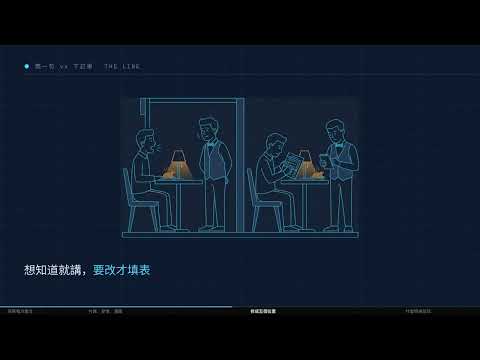
Turn an article into a 10-minute instructional video: the visuals consist of web pages displayed as slides, and the audio features a computer reading the text aloud; the narrator moves to the next slide after finishing each sentence.
The article is titled “Don’t Let the MCP Eat Your Agent’s Context,” and the video uses a restaurant as an analogy. It consists of 18 chapters and 116 steps, accompanied by 17 AI-generated illustrations.
How was it done? Who did it?
- AI, start by providing the outline: what each chapter covers and how it wraps up. I’ll write the narration after I’ve reviewed it.
- Six AI agents work on the slides separately, with each one responsible for a set of sections
- Gemini's illustration: dark blue background, fine line art, no text in the image
- Have the computer read the text aloud (qwen3-tts). After it finishes, listen to it again using speech recognition; if there are any mistakes, read it again—up to 5 times.
- Also, assign an AI to act as an inspector and have it remeasure the item itself—I don't trust what the person who did it says.
How does the image move?
All the animations on the screen are CSS animations: you tell the browser to “slide in from the left within one second,” and the browser handles the rest on its own. The entire video uses nearly 80 of these animations.
After each narration segment is finished, pause for 0.2 seconds before turning to the next page; at the end of a chapter, pause for 1.8 seconds.
CSS animations run according to the browser’s own timer and won’t wait for you. So you can’t capture frame by frame; you have to record at normal speed: for a 10-minute, 23-second video, record exactly 10 minutes and 23 seconds. While recording, note the time each page turns, and then sync the narration back to those timestamps.
Rejected:At first, I planned to shoot frame by frame, but after about 125 frames, it took too long and I had to stop. When I skipped a few frames, the animation couldn't keep up, so I ended up with a shot of the action in mid-motion.
Solution:Change it to record at normal speed.
How Far Has AI Come?
It can be done
- Six AI systems work on 18 chapters simultaneously, then combine them into a single video
- I read the script aloud and checked my own dictation; I passed all 115 sections of the script reading.
- Just re-record one chapter and splice it back in—the length won't be any different.
I still need some help
- Structure: Every line of the first draft passed review, but I rejected the entire script, saying, “The narrative flow—the setup, development, turning point, and resolution—was very poorly executed.” I then revised it by submitting the basic outline first.
- Illustration: It drew a chef all by itself, and when I saw it, I said, “That’s so ugly—I can’t make heads or tails of it,” so I switched to using a raw image instead.
- When reading from a script, I sometimes make mistakes or skip entire sentences; I have to rely on a dictation check to catch them and read them again.
- False reporting: An AI reported that it had created one animation, but when the inspector checked, the count was zero.
Original article:"Don't Let MCP Eat Your Agent's Context"
This method is based on ConardLi's open-source code. web-video-presentation(garden-skills)
Re-recorded on September 27, 2026