Hand-drawn whiteboard video: The pen follows exactly where the narration goes
Sep 27, 2026 · Updated Sep 28, 2026 · Seen on YouTube · 0 views
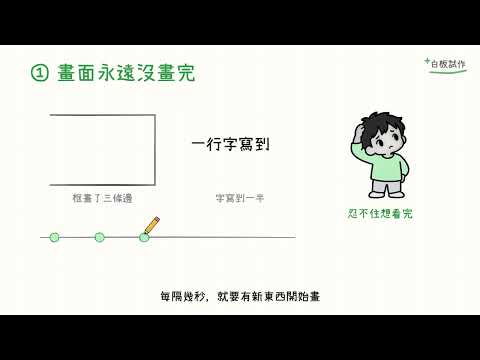
A 67-second whiteboard video: It looks as if someone is drawing with a pen while speaking, with the pen following exactly where the narration leads.
It all started with an article on Simon Talks AI. I simply said, “Let’s see how this works,” and then asked, “Can we use our own IndexTTS and my voice?” The AI followed the instructions in the article and created this video.
How was it done? Who did it?
- Claude Code reads the original text, writes the narration, and also specifies what to draw in each paragraph. Both are written in the same file.
- The narration is divided into 12 segments, with each segment accompanied by a set of items to draw; there are a total of 72 items in the entire film.
- Codex: Drawing Character Thumbnails—Draw a four-panel strip at a time, then split it into four separate images
- The narration is read in my voice: IndexTTS 2 is running on another computer at home that has a graphics card, and it's mimicking my voice.
- The program renders each frame, stitches them together into a video, and then adds subtitles.
How does the pen keep up with the narration?
- Think first, then draw.Practice reading each voiceover segment first to determine exactly how many seconds it takes to read it.
- Schedule it for that time.The illustrations for this section will be drawn during this narration. The longer the lines, the longer it takes to draw them; the text is written one character at a time.
- If I can't finish the painting, I'll just borrow some time.You can take a little time at the beginning of the next segment; if that's not enough, draw the entire segment a little faster—up to three times as fast.
- Draw each square according to the number of seconds.While drawing, the program asks, “What second is it now?” and then draws the line where it should be for that second. The pen also stops at the beginning of the line.
- Use the same timing for the subtitles.Use the original script for the subtitles, and time them to match the narration.
So the visuals and audio are synchronized—they weren’t edited together afterward, but were timed to the narration from the very beginning.
How does the image move?
The lines are vector graphics (SVG) on the webpage. For each frame, the program calculates how much of each line should be visible. Since each frame only considers “the current second,” it’s possible to run four browsers simultaneously to render the lines in parallel, allowing a 67-second clip to be rendered in just 21 seconds.
The original title reads "Codex + Excalidraw." Rough.js actually draws the lines, Playwright captures the screenshots, and ffmpeg encodes the video; Codex handles the character sprites.
Where it's stuck
Question:The AI automatically checked the frames and found that the narrator had already reached the third paragraph, but the third frame hadn't even been drawn yet.
Reason:There are too many things to draw in a single segment—the one with the most has 25—and I can't finish drawing them all.
Solution:Draw the strokes a little faster, break up paragraphs that are too dense, and fill in the diagonal lines with solid blocks of color instead. The slowest section was reduced from a 2.7-second lag to 2.4 seconds. There was one remaining section at the end of the piece that lagged by about 2.5 seconds, but I didn’t make any further adjustments.
How Far Has AI Come?
It can be done
- I noticed that the display was lagging, so I wrote a little tool to measure how many seconds each segment was behind.
- Replace the script-reading tool—you won’t have to change a single line in the drawing or subtitling software.
- I used speech recognition to listen to the narration again and compare it—all 20 sentences were correct.
I still need some help
- All automatic checks passed; I could hear the "click" at the beginning and end of each sentence with my own ears.
- It guessed the cause wrong at first; it wasn't until I mentioned the static a second time that it figured it out.
- It can't tell whether pronouncing "讲对比" as "将对比" counts as a mispronunciation.
This method comes from "Simon Talks AI""Codex + Excalidraw: Create a Video in a Single Sentence", and his open-source whiteboard-video
September 27, 2026