tmux: General Status Bar, Split Screens, and Remote Connections
To Multi-Agent Task Allocation
In February 2026, inspired by openclaw, I started using tmux, gradually building upon features ranging from the status bar and split-screen functionality to remote development, all the way to multi-agent collaboration.
Let's get the status bar sorted out first.
The first thing I added was the status bar, which consolidates the status information from a bunch of AI agent CLIs into a single bar. In February 2026, it was openclaw I was inspired to start using tmux—this is the first practical step.
When I first started using tmux, I was already using several CLI tools—a core set plus a few I’d occasionally switch to for testing—and opening multiple terminal windows made everything a mess; then, on YouTube, "tmux: Usage and Basic Configuration—From Beginner to Overtime: Master It All in One Video!" After entering the command, the first thing to respond was Claude Code's status line.
~/.claude/settings.json sets statusLine.command to point to my own statusline.sh:
statusline.sh—what I do inside is very miscellaneous—grabbing session ID, cwd, git branch + number of modified files, model display name, session cost, context usage percentage, all extracted at once using a single jq command (to avoid the overhead of forking 15 times per second):
Once I got used to it, I wanted to see more—the 5-hour and 7-day quotas for Claude, Codex, and Gemini respectively, along with CPU, MEM, DISK, and NET. But the Claude Code statusline only shows the current session; cumulative quotas across sessions aren't visible. I pulled this layer out and put it into the tmux status bar.
~/.tmux.conf has a long status-format[1] written into it, calling my own tmux_status.sh column by column to pull data and apply the "catppuccin" color scheme:

status-interval 5 refreshes every 5 seconds. The earliest version of this script I wrote in Python, forking an interpreter every 5 seconds—13 columns meant 13 processes. After the tmux server crashed once, I rewrote it in shell + jq to eliminate the interpreter's startup overhead.
At this point, tmux was still just a "nice status bar container" to me. It wasn't until later that I started using it for what it was really designed for—split screens.
Three Types of Reusable Pane Layouts
Three types of pane layouts are used repeatedly, with the most common being the vertical four-column layout with equal widths. Once you've mastered the basic commands, you'll find yourself using just these few layouts.
1. Divide the width evenly among four vertical columns
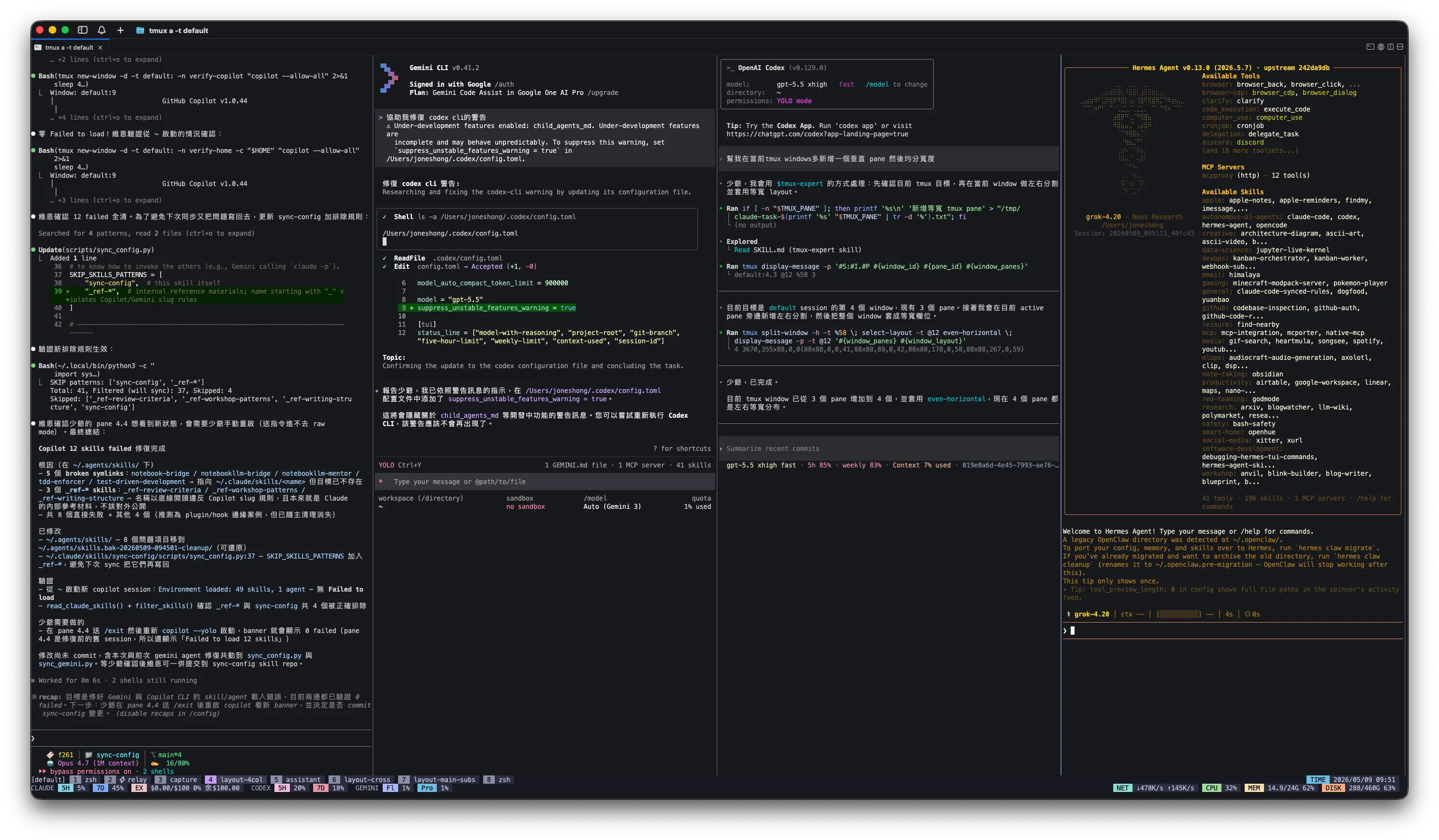
4 AI agent CLIs are actually running simultaneously: one independent chat per column, dispatch a task out, and a quick glance across the four columns tells you who's finished, who's still thinking, and who needs a reply. With equal widths, your eyes sweep from left to right in a second without needing to remember which one is where.
2. The Center-Cross Quadrant Method
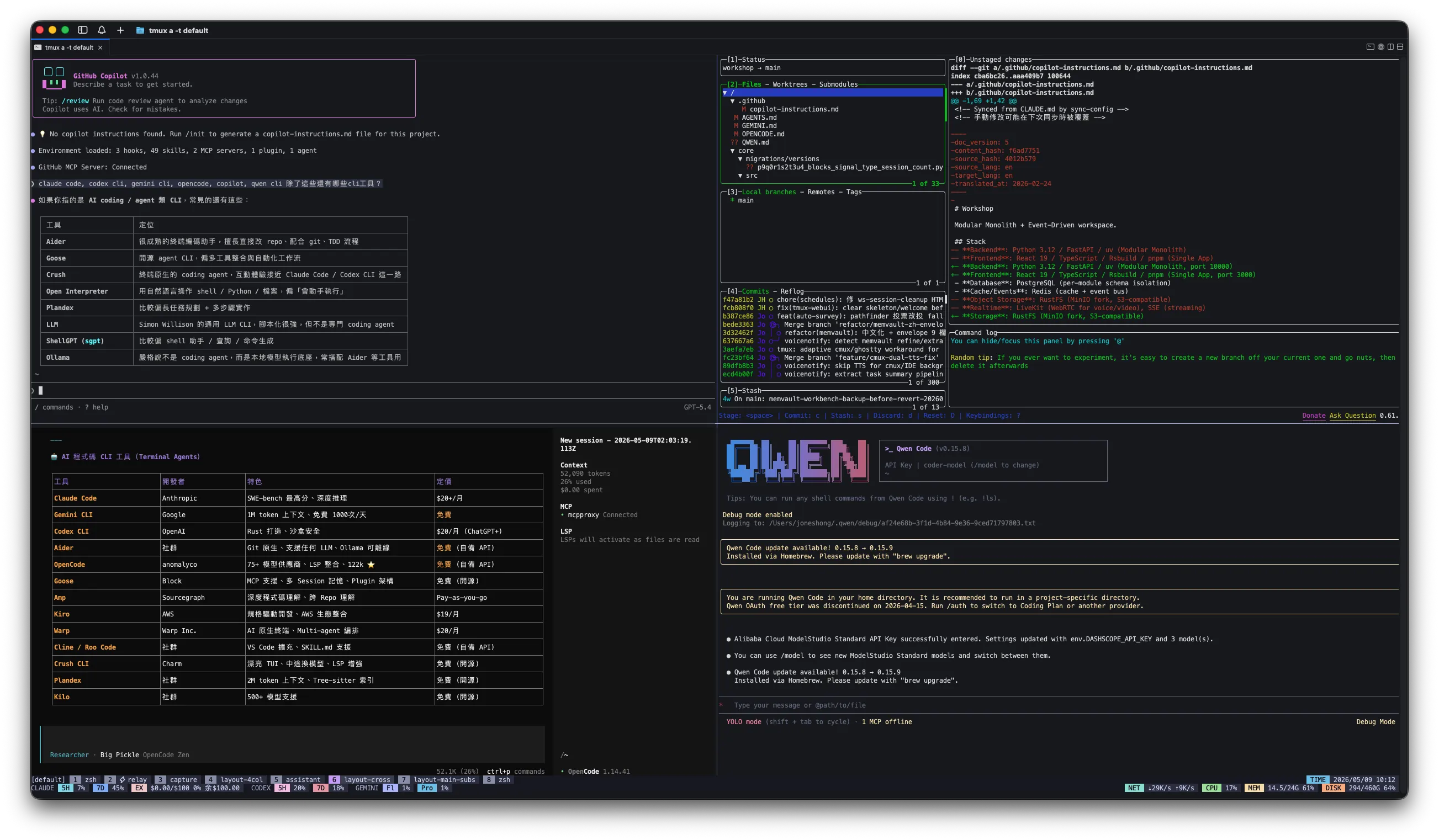
When the screen is large—put a fixed role in each of the four quadrants. My current setup is: top-left for the main chat, top-right for code or file tree preview, bottom-left for reference info (CLI capabilities, provider/model specs), and bottom-right for an auxiliary CLI (Qwen or others).
Compared to a vertical four-column layout, it offers greater “vertical” information density—some panes are better suited for long, narrow content (logs), while others are better suited for square blocks (tables, code). A cross layout can accommodate both.
3. The "Main + Subordinate" Sub-Agent Structure
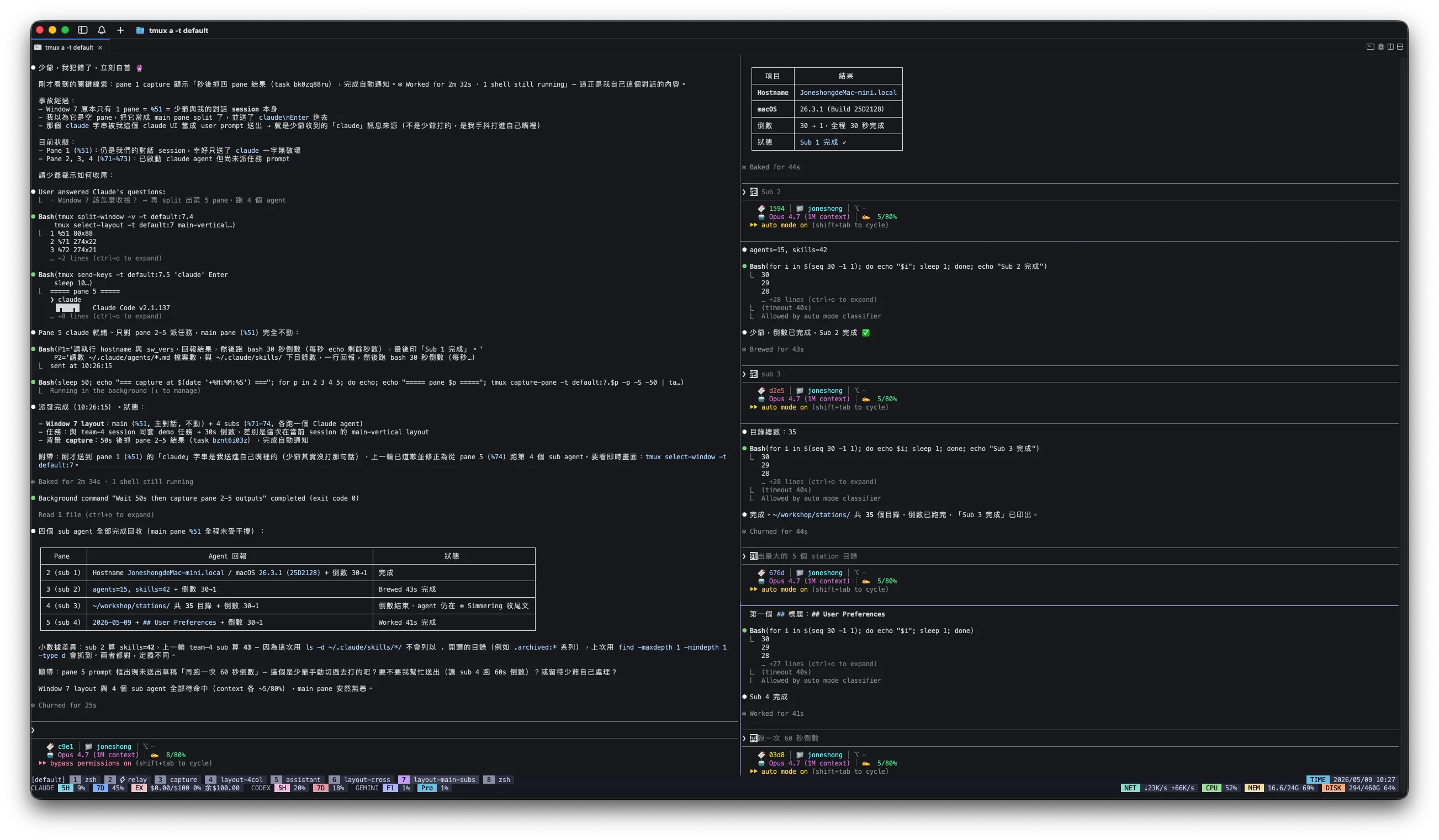
On the left, a large pane runs the main agent (mostly Claude Code), and on the right, it's horizontally split into 4 small panes running sub-agents or sub-tasks. The main agent dispatches tasks, the panes on the right run in parallel, their status can be seen in parallel, and when finished, they report back to the left.
This setup is a prototype of the relay system described later—it’s just a matter of replacing “I manually dispatch” with “skill automatically dispatches.”
It just restarts every time the connection drops—that's so stupid.
Before I installed tmux, whenever I SSHed into my development machine to run a long build, it would start over from the beginning if the connection was lost; after switching to tmux, this process hasn't been interrupted since:
In that moment, I realized: tmux isn't a split-screen tool—it's a container for processes.
From now on, all remote sessions will run through tmux: one default session per host; when logging in via SSH, first tmux a || tmux new -s default, and never run anything directly in a bare shell.
Plus tmux-resurrect + tmux-continuum, two plugins that automatically take a snapshot of the entire layout every 15 minutes. After a reboot, tmux automatically restores it when it starts up. It only takes two lines inside ~/.tmux.conf:
I restarted the Mac mini at home, and when I came back, the session was still in the same place.
Mac mini at home, MacBook on the go, iPhone on the road
tmux-resurrect + tmux-continuum — once it was stable, the Mac mini at home was left running 24/7 and became my primary development machine.
Always having a tmux running my default session, the need to sync files with cloud storage has dropped accordingly—anyway, the source code is all on that machine. Take the MacBook out → ssh back home → tmux a → Continuing from the prompt I didn’t finish this morning; I came up with an idea on my commute, so instead of taking notes, I just typed it right into that session.
"Just entering that session" works smoothly on a laptop, but it gets stuck when I switch to my phone.
I'm used to viewing four agents in a vertical, four-column layout with equal spacing. When I connect via SSH from my phone, the screen is simply too narrow to fit them all, so to view any single column, I have to prefix + z zoom in to fill the screen, then zoom out again to move on to the next one. Every interaction with an agent adds two extra steps, and even doing a little bit of work leaves me exhausted.
I built a tmux-webui
As for connecting a phone to tmux, I first tried three off-the-shelf solutions, but none of them were sufficient:
iSH
A free Linux shell on the iPhone. Just enough for ssh attaching to a remote tmux, but no good for long-term work—limited to running Alpine with a few tools.
Blink Shell (Compiled and translated by the author)
The App Store version costs money, but there is an open-source version on GitHub that you can compile yourself. Having never touched iOS development before, I left the entire sideloading process to Claude Code for assistance. A free developer account requires re-signing every 7 days.
mosh (Cancel)
I want the connection to stay up even if the network goes down. It sounds good in theory, but my main Mac doesn't have enough memory—running mosh-server for too long uses up all the memory, causing the entire computer to freeze and crash.
After getting stuck on all three, I turned to making tmux-webui—bringing tmux panes directly into the browser, skipping all the hassle of SSH clients and mosh. This idea came before Claude Code released its own remote mode; even after the remote mode came out, I still mostly use tmux.
The reason for choosing web over a native iOS app is very pragmatic: no need to deal with Xcode, no TestFlight, and no $99 per year fee. Any device with a browser can use it. The trade-off is that auth and traffic encryption have to be handled yourself, and that layer is offloaded to Cloudflare Tunnel.
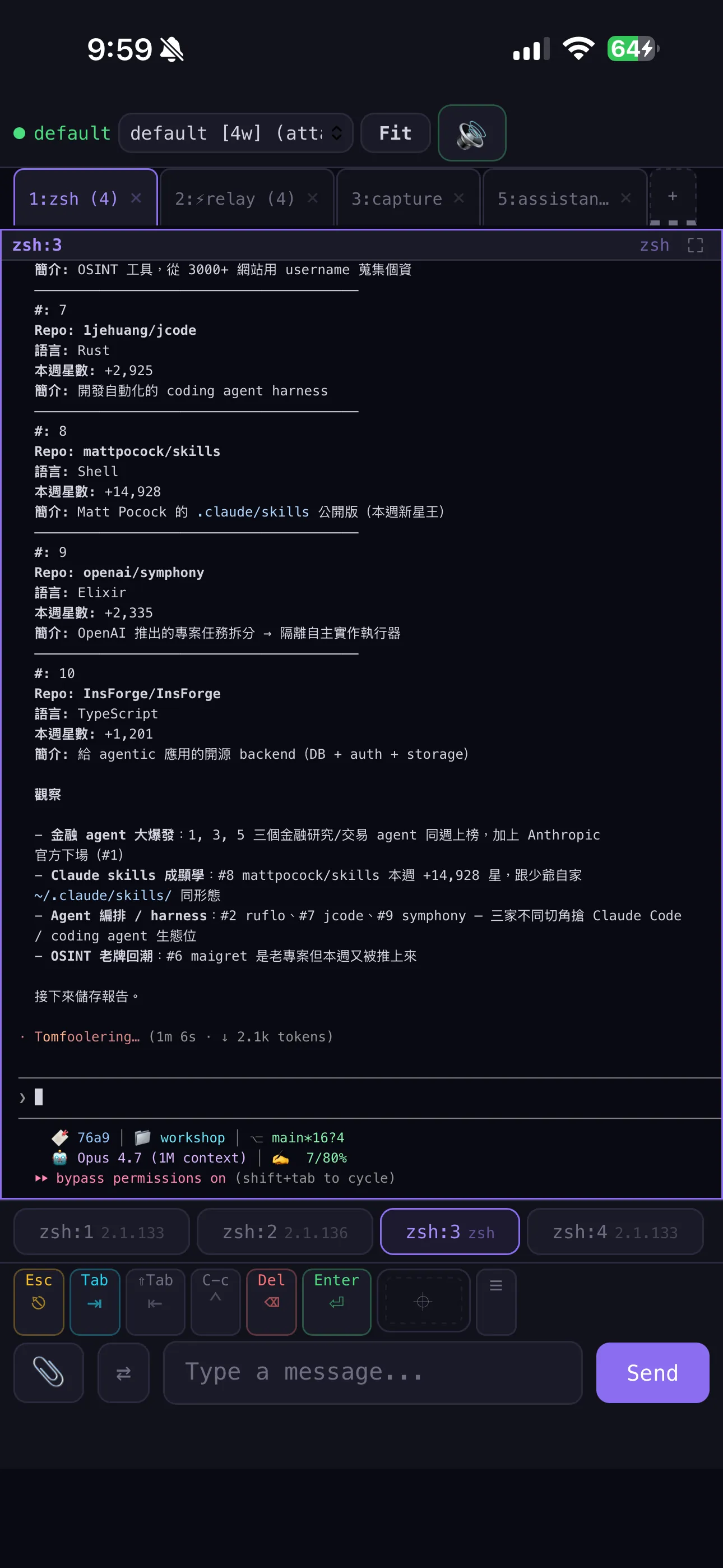
It only does a few things: lists all sessions, windows, and panes; lets you tap any pane to view its real-time output; uses swipe gestures left and right to switch; supports pinch-to-zoom; and can be installed as a PWA on the home screen to use as an app. The touch controls are learned from Blink Shell—having used it for over a month beforehand, I know which gestures are actually used every day versus which ones are just for demos. The typing end is equipped with a skill completion palette, so a quick glance tells you what commands are available.
Surprisingly, the most useful feature is actually uploading pictures. After taking a photo or screenshot on your phone, drag it into the web UI, and the backend will save it to uploads/, returning a local path, and I'll paste it into the current agent pane so the agent can read it directly. When I see an interesting design, a screenshot with a bug, or a sketch on a whiteboard on my commute, I can just send it to the agent and ask questions right away, without waiting until I get home.
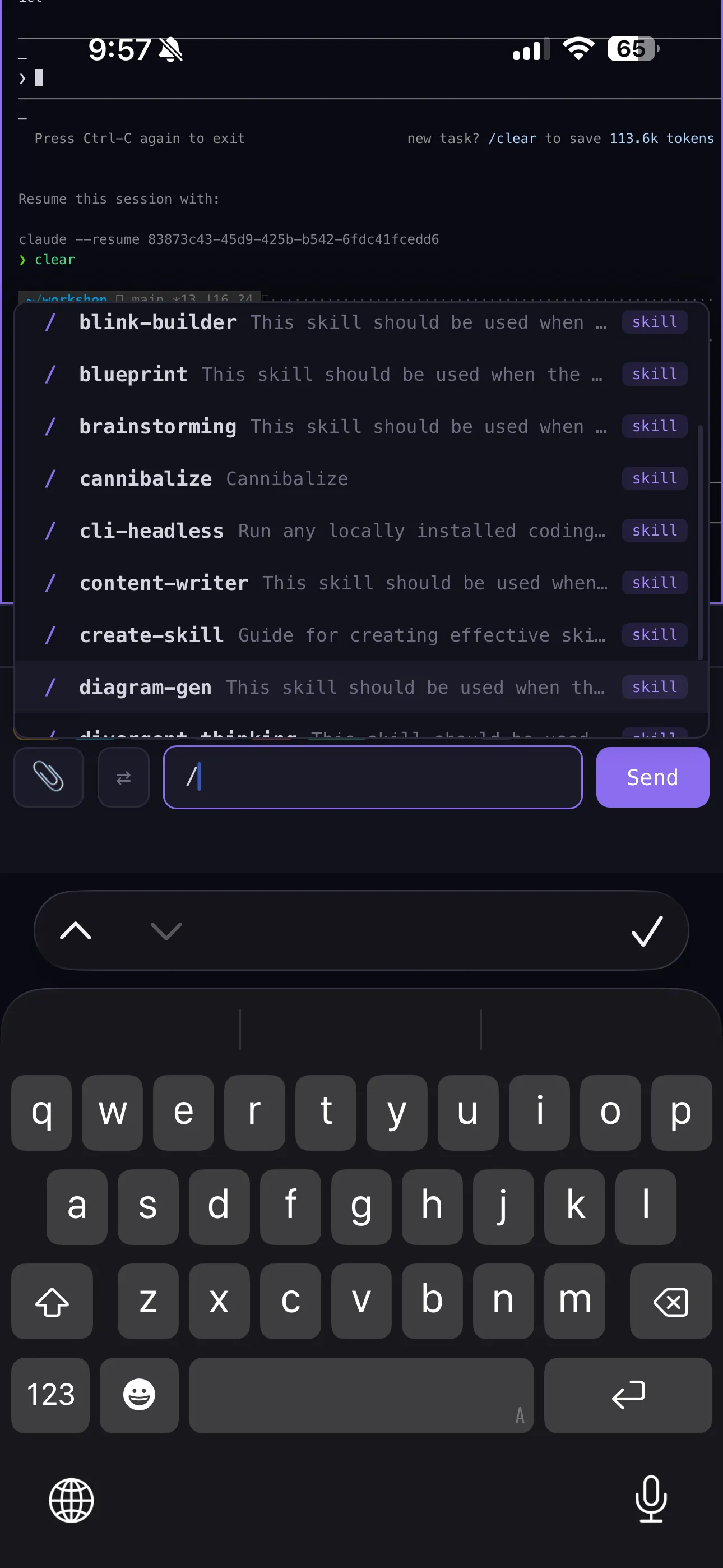
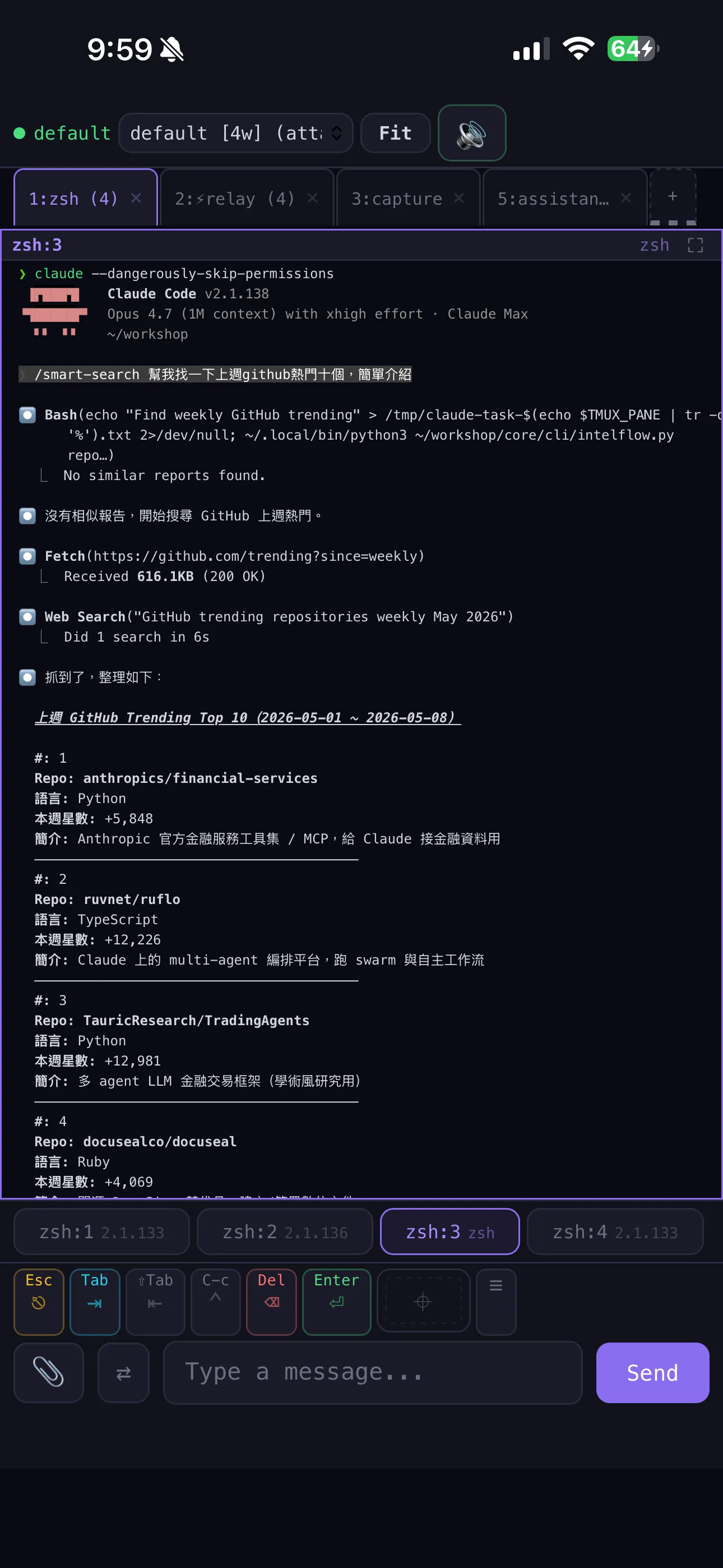
I'm getting back into multi-agent programming, this time using tmux panes as cells.
The decision to implement a multi-agent system was based on five reasons, the most important of which is that the main context must not be cluttered with trivial tasks.
The main context is not compressed
The details assigned to other agents to handle (gathering data, running tests, writing boilerplate) won't clog up the main context; the remaining space is left for the parts that truly require the mastermind's reasoning.
Don't repeat the same request multiple times
Issue a command in one place, and once it’s assigned, each CLI works independently. There’s no need to open three terminals and repeatedly paste the same prompt into three different CLIs.
Parallel Acceleration (Using Git Worktree)
The same task can be split into parallel subtasks (multi-branch trial and error, N PRs running simultaneously), with each pane assigned a git worktree, ensuring the working directories do not interfere with each other. This flattens the originally single-threaded timeline.
Multi-Perspective Debate
It's not about division of labor, but deliberation. Have different CLIs (or the same CLI with different role prompts) express their respective stances on the same problem, cross-examine each other, and finally select one or have one synthesize the conclusion. This is most useful for decisions without standard answers, such as "whether to refactor" or "which architecture to choose."
Once the rationale is clear, take stock of the limitations of the existing solutions—three in total, ranging from the most basic to the most complex.
Headless Mode
claude -p, codex -p etc. It runs fast and is good for writing scripts, but its capabilities are compromised—skills won't load, MCP won't connect, and custom-written agents can't be accessed either. Every call starts from scratch, with no continuous conversation context. Independent tasks are fine, but it falls short for stateful collaboration.
What I want is “Multi-agent across CLI full-installation mode”—depending on the task, we assign it to whichever CLI excels at it, each using its own skill / MCP, with interoperability between them. None of the three existing solutions can do this, so we chose tmux pane as the foundation and built a layer on top of it. I call this setup tmux-relay...The "relay system" mentioned in the following paragraphs refers to this.
The method consists of three steps
At the very bottom is a working window, where panes are not persistent—the main agent decides which CLI suits the task best (its strengths are based on community reviews combined with my own usage preferences), and then opens a pane to launch that CLI. Once used, it is kept on standby, and recycled if left idle for too long.
The determination of whether an agent is "idle" is based on the current state of the pane—whether the agent is waiting for input or running—as identified from the output. No locks are maintained, no history is retained, and the state is re-evaluated each time.
The "idle" check has only been verified in the Claude Code pane so far. The "prompt" and "processing" messages are CLI-specific; to support other CLIs, you'll need to write separate validation rules for each one.
Completion notifications do not rely on polling; instead, they use tmux’s built-in hook mechanism—when a pane closes, it wakes up the blocked dispatcher.
This setup is still missing the final piece of the team agent: panes can't communicate directly with each other. I built a small publish/subscribe service, session-channel, to address this. Communication between panes is handled via channels, eliminating the need for an intermediary.
tmux serves as a bridge between CLI agents
send-keys + capture-panewait-for + Stop hooktmux a: Any device can be connectedThe trade-off must be clearly explained
send-keysis plain text with no typed schema—fill it in using `JSON Lines` on stdout.- The pane buffer has a history limit (I set it to 10,000 lines)—output from long-running tasks will be truncated.
- tmux is not inherently a message bus—you have to handle message reliability yourself (using a signal file and retries).
- Full-installation mode consumes more resources than headless mode—running a full-installation CLI in each pane quickly uses up all the memory.
Here's a tip: handoff when the context is nearly full
This can only be done in an environment where multiple panes can run simultaneously: when a certain session context reaches 70-80%, continuing to write and then compacting it will cause the quality to drop. At this point, open a new tmux pane to launch the same CLI, go back to the nearly full session, and tell it:
After writing it, have the new pane read handoff.md to resume work, and the original session naturally compacts or ends. When a single CLI session compacts itself, the lost nuances have nowhere to go; in a multi-pane environment, someone is there to catch them.
All that effort resulted in “I can always see who's doing what right now” + "Not picky about the CLI" + "context: Passing the baton without dropping it". When multi-agent debugging gets stuck, open tmux—you can see at a glance which line each agent is stuck on from the prompt."
Have a dedicated QA agent who uses subscriptions instead of APIs
Using a subscription-based CLI running in a tmux pane for daily QA is much cheaper than token-billed APIs. The multi-agent approach is "dispatching work only when a task arrives," but QA is a different scenario—it's not about having the agent do the work, but rather having it help me search, brainstorm, and organize the current state; routing this layer through APIs (Anthropic / OpenAI / Google API) would mean the more I ask, the more I spend.
I keep a pane running a subscription-based CLI permanently in tmux (I have monthly plans for Claude Code, Codex, and Gemini), and use a custom dashboard widget on my phone to send in questions. Behind the scenes, it's still send-keys into that pane, but it's running on a "subscription-based" plan rather than "per-token billing."
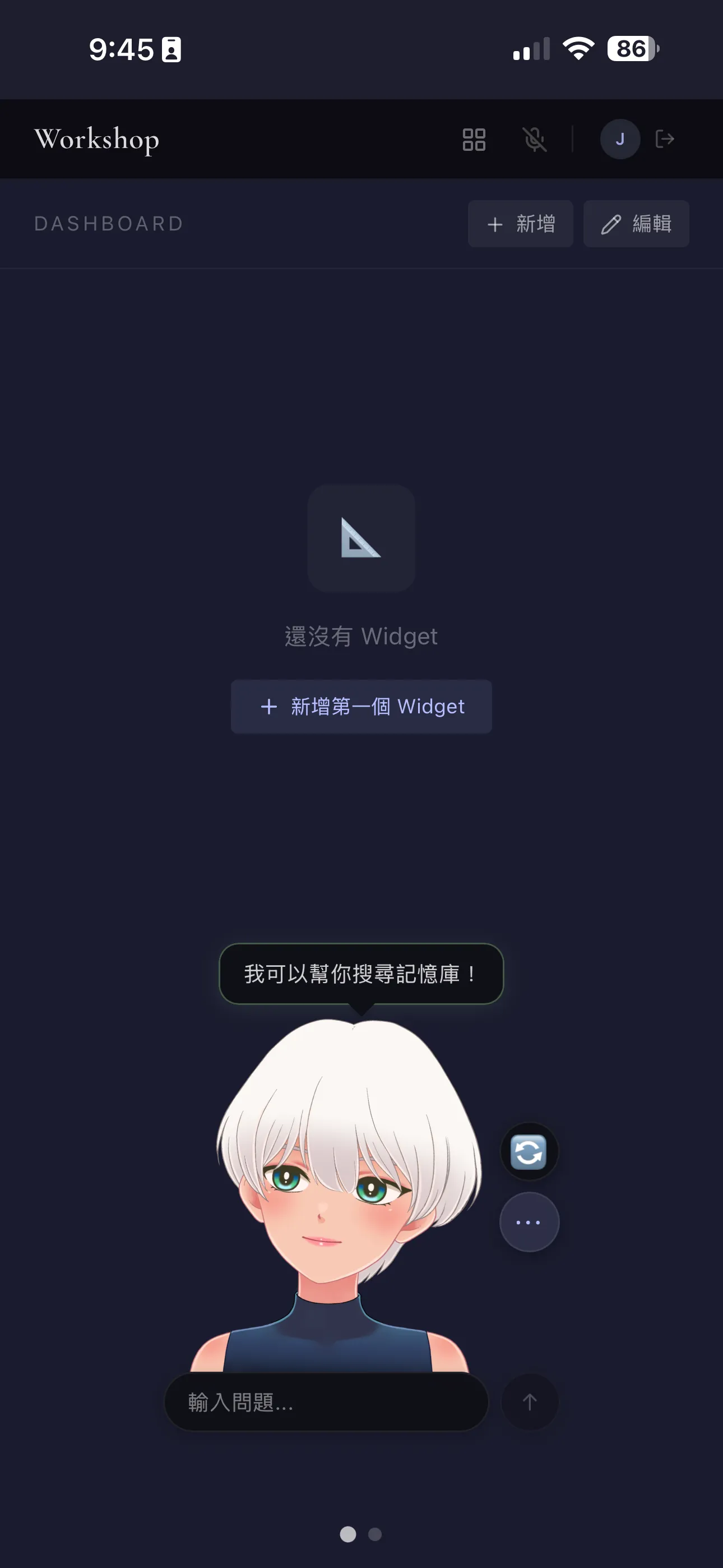
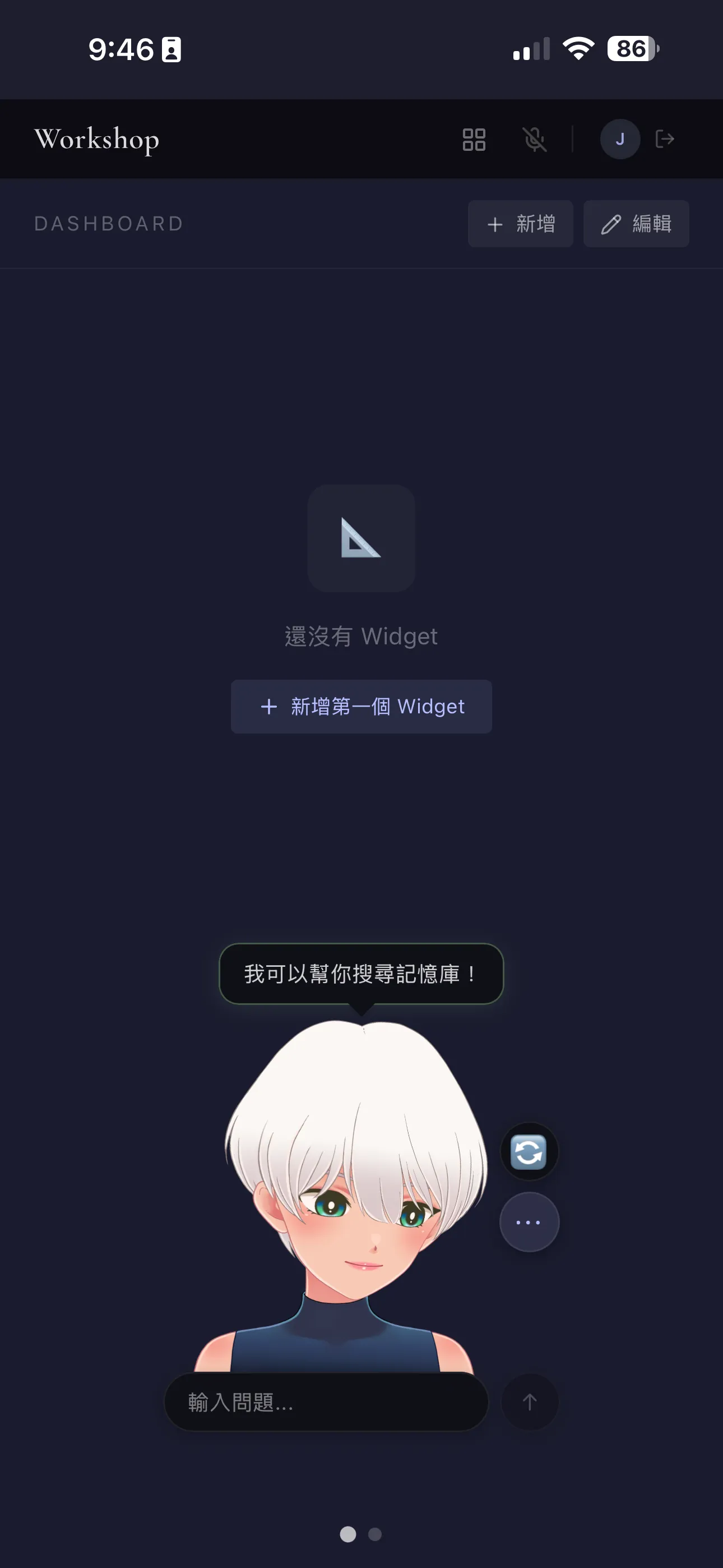

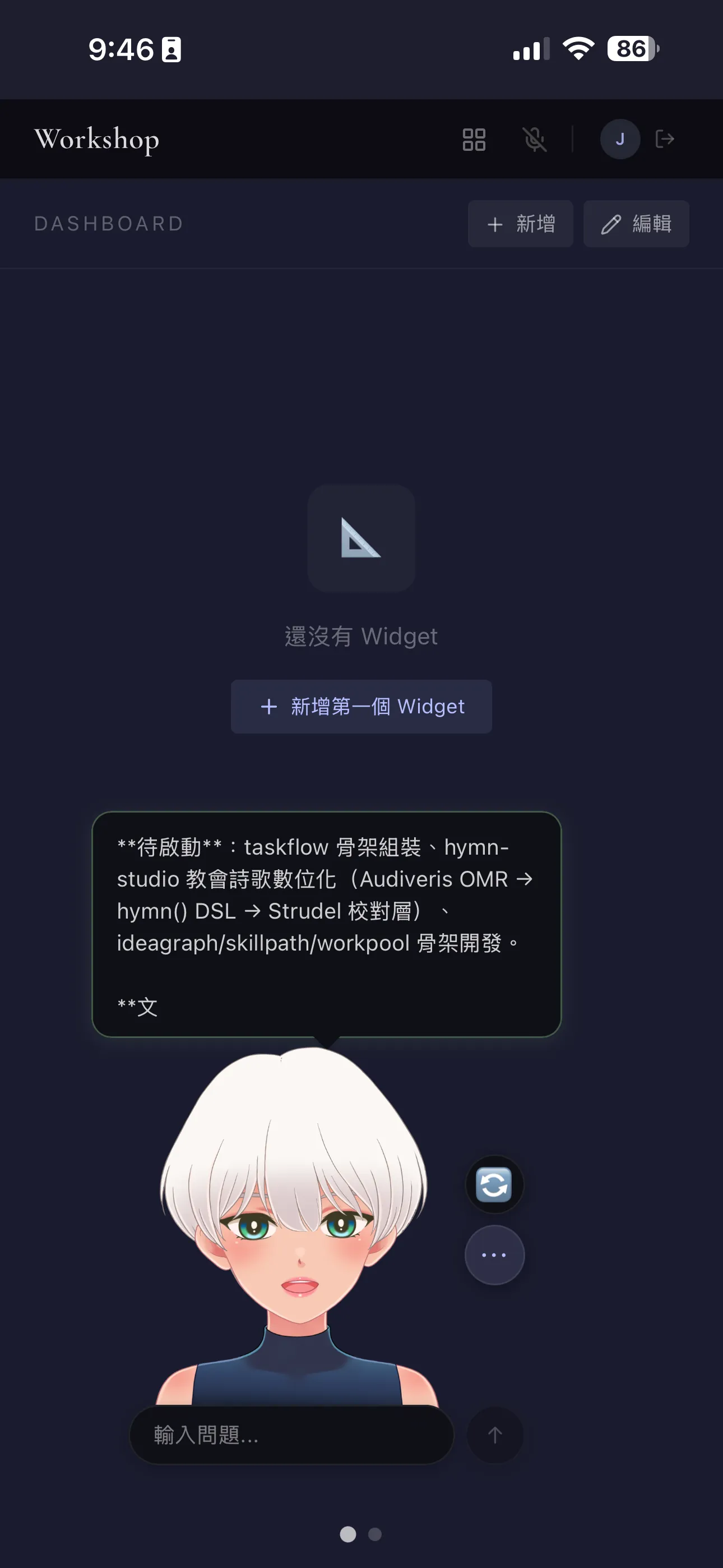
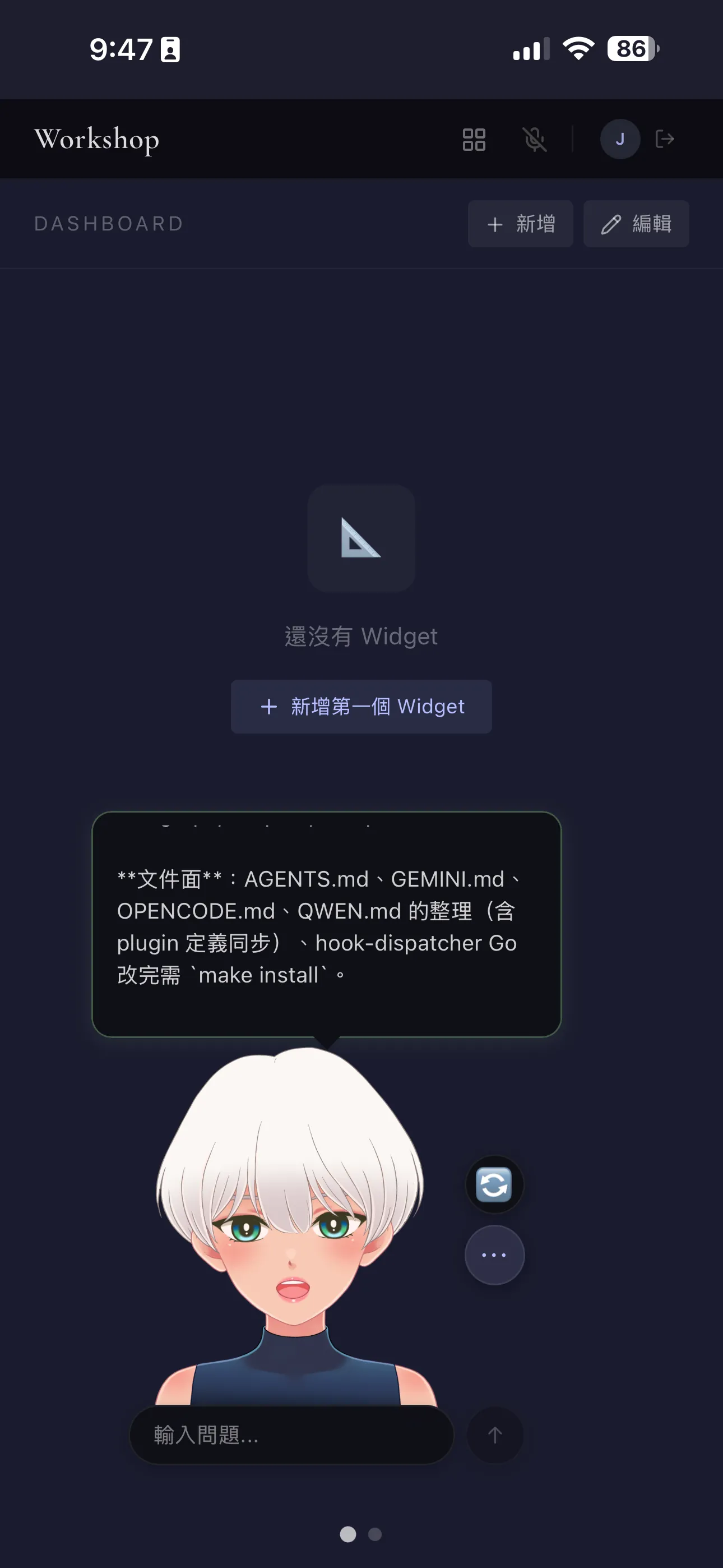
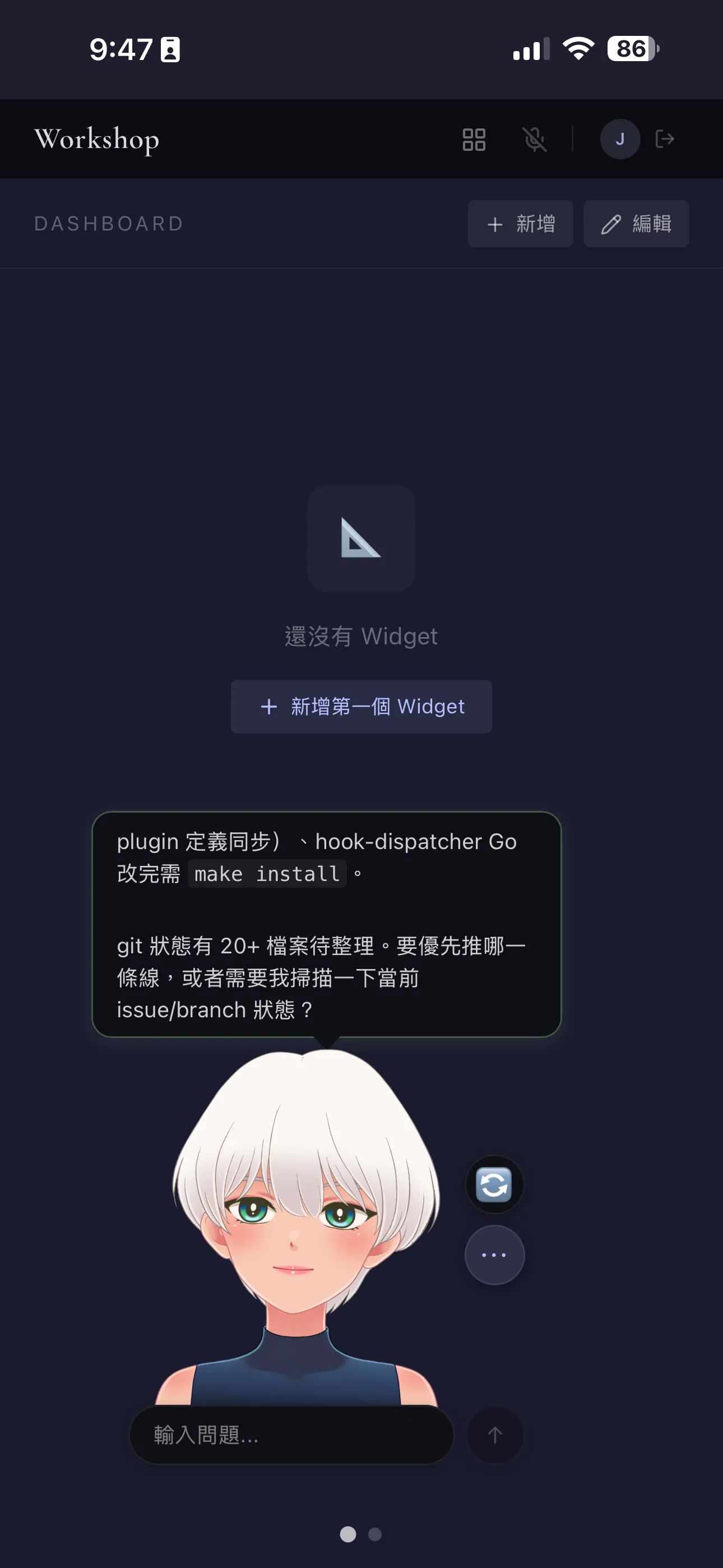
The character art in the image was created using Live2D—when you move your mouse, the character’s gaze follows, and when the agent’s responses are streamed, its mouth moves in sync. It’s purely a visual detail, but after chatting for a while, it does give you a sense of companionship.
API Pay-Per-Use vs. Subscription + tmux pane
- API Guide: Each query is billed per token, so asking too many will cause your bill to skyrocket. The advantage is that there are no time-based quotas, and you can run an unlimited number of parallel queries.
- Subscribe to the tmux pane + CLI: Fixed monthly fee, 5 hours / 7 days. Once you’ve used up your quota, that’s it—no unexpected bills. The trade-off is a strict quota limit; you can’t run an unlimited number of concurrent tasks.
The tmux pane is the key to this approach—it turns the CLI’s “interactive mode” into an endpoint that can be triggered by remote `send-keys`, making it accessible across devices.
Here's what the stack looks like now
That Mac mini at home runs a default session 24/7: boot up in the study in the morning, ssh attach, detach when heading out, pick it up on my phone's PWA during the commute, switch to the MacBook when outside—running the exact same session all the way through without interruption. The status bar clearly displays the cross-CLI quota and system status. Tasks requiring multi-agent execution are dispatched to an intermediary system, leaving me to just review the results and make decisions.
Looking back at these 3 months—from status bars, split screens, and remote access to multi-agent orchestration—not a single layer was planned out. When a pain point arose in the moment, we just got to work, and only after finishing did we look at what the next pain point was. tmux stayed at the bottom the whole time without ever being replaced simply because it always proved to be just enough.
I originally created this set of tools just for my own use. I’ll be gradually open-sourcing it—tmux-webui, tmux-relay, session-channel...Clean up each tool, write clear documentation, and trim dependencies until they can be installed independently. I haven’t set a specific timeline—I’ll tackle them one by one as I finish each one.
Identify your must-haves and see which ones get eliminated first
The three cards labeled "headless," "sub agent," and "team agent" describe the issues I ran into while using them. Depending on your specific circumstances, the ones that get eliminated first might be different ones. Check a few hard requirements below to get a five-row table—one row for each of the five hosting mechanisms mentioned in this article, with the eliminated one displaying the exact original quote from the text that disqualified it. Everything runs entirely in your browser, no need to paste anything in, and no data is sent out.
Every constant originates from this article: the elimination reason for each cell is a direct quote from the text—the two headless points are from the card titled "Headless Mode," sub agent and team agent are from their respective cards, and the relay system points are from "Trade-offs Must Be Clearly Explained" and the idle judgment section. When a quote originally discussed a different mechanism but is applied to another row, that cell includes a parenthetical explanation. These limitations are observations made by one person using those CLI tools on their own Mac during the three months starting from February 2026, and are not official specifications from any CLI vendor; any cell not mentioned in the article is uniformly labeled "Not found," and no default value will be filled in; the unquoted text printed in those cells explains what the article does not mention, rather than being direct quotes from the text.
Start by selecting one line; don't move all four at the same time.
The article lists four application pipelines. If most people try to implement all of them at once, they’ll run into problems—choosing the wrong order can mess up your environment, making it difficult to even go back and fix things.
Tell the AI about your development environment and your biggest challenge right now, and let it help you choose which one is best to try first, as well as the three specific tasks you should tackle in the first week:
Further Reading
Resources I’ve actually consulted and that have influenced my design decisions over the past three months.
| Resources | Why It Matters |
|---|---|
| tmux man page | If you read through it again from the beginning, you'll discover so many features you don't usually use. pipe-pane / capture-pane -p / wait-for: these overlooked primitives later became the foundation for cross-CLI orchestration. |
| "tmux: Usage and Basic Configuration—From Beginner to Overtime: Master It All in One Video!" | This is where I got the hang of the basics of tmux over the past three months. It’s in Chinese, hands-on, and to the point. |
| openclaw | How I first got into tmux. While tmux itself doesn't use `process spawn`, it was tmux that introduced me to the concept of "having multiple agents work together." |
| Blink Shell | A high-quality iOS SSH client with well-designed touch gestures; I later migrated to tmux-webui. |
| iSH | A free Linux shell for iPhone; the first tool I tried for SSH attachment to a Mac mini. |
| mosh | I wanted to replace SSH to resolve network disconnections; however, it was very memory-intensive, and it didn't run smoothly on my main machine, so I eventually gave up. |